









How to Customize Your Binance App Settings and Notifications?
You can customize your Binance app settings and notifications following the below instructions. Click to expand each drop-down box for more details.
Where can I change my Binance app settings and notifications?
Log in to your Binance app and go to [Account Center] - [Settings].

Here you can customize different settings of your app.


1. General
You can change the notification preference, currency, language, edit your crypto withdrawal addresses and manage BNB usage.
Set your app push, inbox, and email notification preference. Go to each type of notification and toggle on or off the button to enable or disable the function.

App Push Group
- Device Permission: Enable notifications on your device.
- Marketing & Activities: Get notified on the latest marketing promotions and activities.
- Transaction: Get notified on different transaction types.
- Price Alert: Enable price alerts for chosen crypto.
- Others: Get notified on other events and Smart Money.
- Square: Receive like, reply, new follower, @ mention, content update notifications on Binance Square. You may also choose how frequently you wish to receive these notifications and manage the notification of creators. You can turn on the Square Assistant Notifications and Binance News Notifications.

Others
- Notification language: Choose in which language you want to receive notifications.
- Order Notification Push: Get notified on Spot/Margin trading, Futures transactions and Trading Bots transactions.
- Marketing Updates: Receive app push, index notification, and email.
Please note:
This function serves as a risk warning and Binance cannot guarantee timely delivery. You agree that during your use of the Service, under certain circumstances (including but not limited to personal network congestion and poor network environment), you may not be able to receive or receive delayed reminders. Binance reserves the right and has no obligation to deliver notifications.
Choose the fiat currency you prefer for fiat price display and calculations.

Change Binance app to your local language.

Under the “All” tab, you can view all your saved crypto withdrawal addresses. To add a new address, tap [+] at the top right.

To delete an address or add it to the whitelist, tap [...] next to it.

On the “Whitelist” tab, you may enable or disable the withdrawal whitelist and one-step withdrawal functions.
For more details, please visit How to Manage Withdrawal Settings for My Binance Account?

Here you can set to use BNB to pay fees (25% discount), to pay Margin interests (5% discount) and to pay USDⓈ-M Futures fees (10% discount).
For more details, please refer to How to Use BNB to Pay for Fees and Earn 25% Discount?

2. Appearance
You can customize the appearance of your Binance app and trading charts.
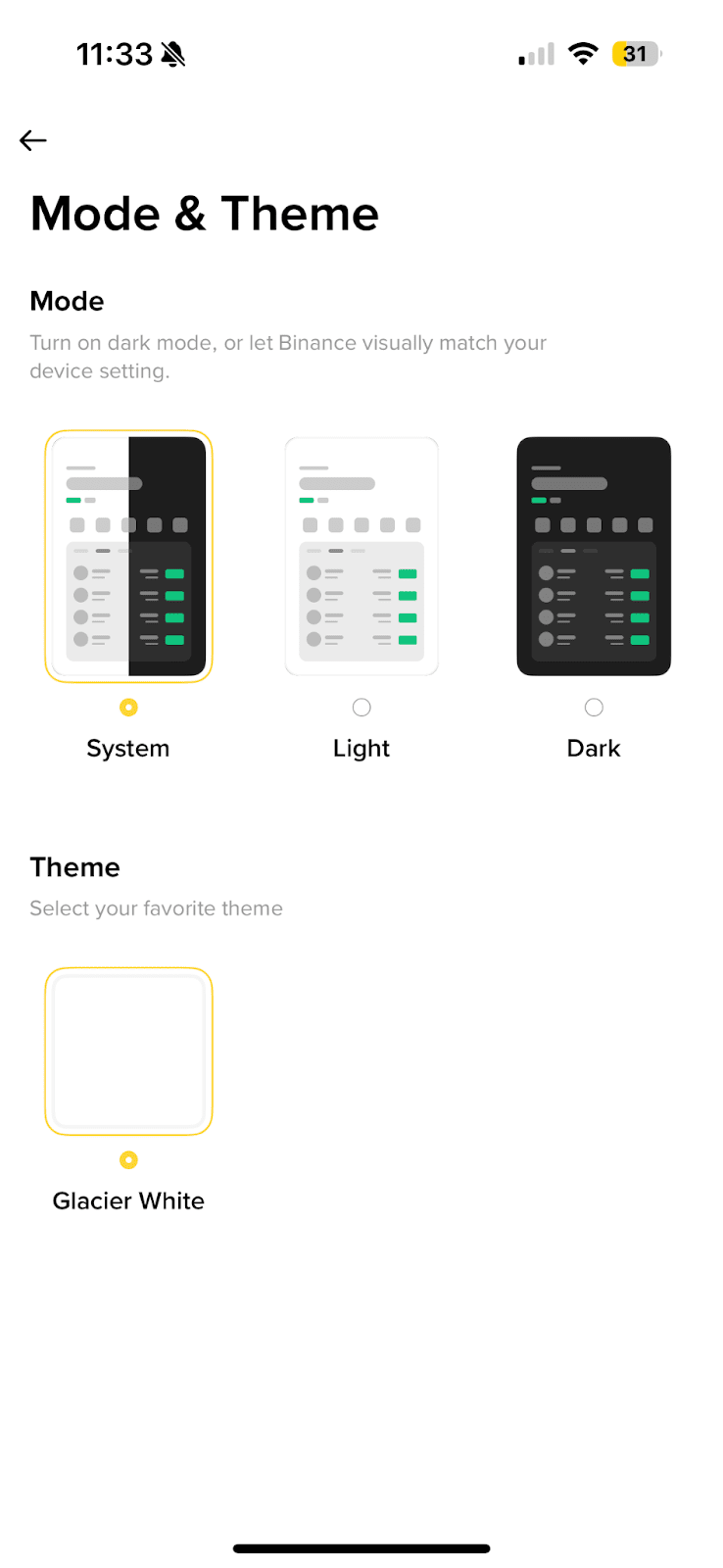
- Mode: Choose the light or dark mode, or follow your device’s system settings.
- Theme: Choose a theme for your app.
- Style Settings: Choose a color set for your candlestick charts.
- Price Change Color: Choose your preferred color for the price trend.

Change the time zone basis of your account’s PNL analysis calculation. For more details, please visit How to Check Trading Insight on the Binance App?
Please note:
- Choosing [Last 24 hours] will use the data from the last 24 hours to calculate your PNL.
- When you choose a UTC new time zone, the change % in the PNL analysis of your Spot, Margin, Options, and Futures Accounts will be calculated based on the new time zone.
- The change won’t affect the price change % displayed on the trading charts.
- If you switch to UTC+8, the setting will apply to both market change(%) and Spot/Margin Chart, while other time zones will only affect the market change(%).

3. Payment
Choose a default fiat currency for P2P order payment.

- P2P Settings: Here you may add or delete a P2P payment method, customize P2P notifications, view P2P trading FAQs, go to P2P User Center, get your ad sharing code, manage your cash and P2P payment methods, etc.
- Cash Settings: Manage your cash payment methods.

4. Others
Add Siri shortcuts for more convenient market tracking. You can choose from “Open the Binance”, “View Binance Assets”, “Check BTC price” and more.

If your Binance app is running slow, you may try clearing the cache. Tap [Yes] to proceed.

Access Help Center, System Feedback, Product Feedback & Suggestions and Network Test.

Manage your cookie preferences.

Here you can view and adjust your personal data, export transaction records, update documents or delete your account. You can also access the Binance Privacy Portal.

View your Binance app’s current version, services agreement, certificate trust you can access Binance social media and share Binance app.

Here you’ll find information on the current Binance app version and if there’s a newer version. We always recommend updating to the most recent version.
