
#binanceapi
binanceapi
4,461 views
45 Discussing
Hot
Latest

·
--
Getting the API permissions wrong can halt your entire cross-market automation setup. 🛑
Connecting your Binance account to WolfBot Community requires a precise, multi-step process focused only on securing trading access.
1. First, ensure you have a Binance account and that WolfBot Community is installed and running.
2. Create your Binance API Key by logging into Binance, going to Profile → API Management, and following the key creation steps. Remember to enable Spot & Margin Trading, but explicitly disable Withdrawals and Universal Transfer. ⚠️
3. In WolfBot Community, navigate to Exchange Accounts, select Binance, and input your new API Key and Secret Key. Then, click Test Connection.
4. Always test the integration next. Go to the Smart Terminal and start with a Demo account to place and cancel a small limit order before switching to Live.
5. WolfBot automatically respects Binance API rate limits. While IP restriction is recommended for production keys, the system supports Market, Limit, Stop-Limit, and OCO order types.
For the full setup guide, see this resource: https://community.wolfbot.io/brokers/binance
#BinanceAPI #CryptoAutomation #TradingBot #WolfBot
Getting the API permissions wrong can halt your entire cross-market automation setup. 🛑
Connecting your Binance account to WolfBot Community requires a precise, multi-step process focused only on securing trading access.
1. First, ensure you have a Binance account and that WolfBot Community is installed and running.
2. Create your Binance API Key by logging into Binance, going to Profile → API Management, and following the key creation steps. Remember to enable Spot & Margin Trading, but explicitly disable Withdrawals and Universal Transfer. ⚠️
3. In WolfBot Community, navigate to Exchange Accounts, select Binance, and input your new API Key and Secret Key. Then, click Test Connection.
4. Always test the integration next. Go to the Smart Terminal and start with a Demo account to place and cancel a small limit order before switching to Live.
5. WolfBot automatically respects Binance API rate limits. While IP restriction is recommended for production keys, the system supports Market, Limit, Stop-Limit, and OCO order types.
For the full setup guide, see this resource: https://community.wolfbot.io/brokers/binance
#BinanceAPI #CryptoAutomation #TradingBot #WolfBot
Connecting your Binance account to WolfBot Community requires a precise, multi-step process focused only on securing trading access.
1. First, ensure you have a Binance account and that WolfBot Community is installed and running.
2. Create your Binance API Key by logging into Binance, going to Profile → API Management, and following the key creation steps. Remember to enable Spot & Margin Trading, but explicitly disable Withdrawals and Universal Transfer. ⚠️
3. In WolfBot Community, navigate to Exchange Accounts, select Binance, and input your new API Key and Secret Key. Then, click Test Connection.
4. Always test the integration next. Go to the Smart Terminal and start with a Demo account to place and cancel a small limit order before switching to Live.
5. WolfBot automatically respects Binance API rate limits. While IP restriction is recommended for production keys, the system supports Market, Limit, Stop-Limit, and OCO order types.
For the full setup guide, see this resource: https://community.wolfbot.io/brokers/binance
#BinanceAPI #CryptoAutomation #TradingBot #WolfBot

1
11

📢 Binance deletes all API keys linked to SignalPlus over a possible security issue
Binance proactively deleted all API keys linked to SignalPlus, a cryptocurrency options trading platform, after it reported a “possible security issue.” The exchange says its systems were not affected and users’ funds are safe. Deribit took a similar measure…
📢 Mercado Bitcoin will reopen on Monday, November 9, but initially only for checking balances
Mercado Bitcoin (MB), the Brazilian exchange attacked on November 2, will reopen its platform on Monday, November 9, but in an initial phase users will only be able to check balances and statements. There is no date yet for withdrawals, transfers, or trading. The company promises to replenish each customer’s wallet using its own resources, while a new on-chain analysis indicates…
#mercadobitcoin #brasil #BTC #BinanceAPI #SignalPlus $BNB $BTC
📢 Binance deletes all API keys linked to SignalPlus over a possible security issue
Binance proactively deleted all API keys linked to SignalPlus, a cryptocurrency options trading platform, after it reported a “possible security issue.” The exchange says its systems were not affected and users’ funds are safe. Deribit took a similar measure…
📢 Mercado Bitcoin will reopen on Monday, November 9, but initially only for checking balances
Mercado Bitcoin (MB), the Brazilian exchange attacked on November 2, will reopen its platform on Monday, November 9, but in an initial phase users will only be able to check balances and statements. There is no date yet for withdrawals, transfers, or trading. The company promises to replenish each customer’s wallet using its own resources, while a new on-chain analysis indicates…
#mercadobitcoin #brasil #BTC #BinanceAPI #SignalPlus $BNB $BTC
Binance proactively deleted all API keys linked to SignalPlus, a cryptocurrency options trading platform, after it reported a “possible security issue.” The exchange says its systems were not affected and users’ funds are safe. Deribit took a similar measure…
📢 Mercado Bitcoin will reopen on Monday, November 9, but initially only for checking balances
Mercado Bitcoin (MB), the Brazilian exchange attacked on November 2, will reopen its platform on Monday, November 9, but in an initial phase users will only be able to check balances and statements. There is no date yet for withdrawals, transfers, or trading. The company promises to replenish each customer’s wallet using its own resources, while a new on-chain analysis indicates…
#mercadobitcoin #brasil #BTC #BinanceAPI #SignalPlus $BNB $BTC

94


Article
How AirdropBuzz Automates Market Signals with Binance APIsMost automated crypto posts begin with copy. Ours begins with market evidence.
AirdropBuzz Market Pulse does not ask an AI model to guess whether a token will rise or fall. It collects Binance market data, applies a fixed set of trading rules, validates the result and then uses Binance Square OpenAPI to publish the completed signal.
That distinction matters: Binance supplies the market data and publishing infrastructure, while AirdropBuzz generates the analysis.
TWO BINANCE INTERFACES, TWO DIFFERENT JOBS
Our automation uses two separate parts of the Binance ecosystem:
• Binance market-data APIs provide prices, candles, volume and derivatives data.
• Binance Square OpenAPI publishes the completed analysis, cover image and relevant tags.
The Square API does not generate or approve the signal. By the time Square receives a post, our system has already calculated its bias, confirmation levels, risk plan and confidence rating.
STEP 1: COLLECT THE MARKET EVIDENCE
Each Market Pulse run begins with a consistent dataset for the selected asset: current spot price, 24-hour change, quote volume, recent closed candles, 4H and 1D trend structure, structural highs and lows, Average True Range and recent USD-M futures open-interest observations.
We base confirmation logic on closed candles. An intraday wick through resistance can disappear before the interval ends. Treating that temporary move as confirmation would create avoidable false signals.
STEP 2: APPLY THE SIGNAL RULES
Open interest: The engine compares the latest futures open interest with recent observations. Rising open interest can confirm participation. Flat, falling or unavailable open interest prevents the highest confidence classification. It is evidence, not a standalone buy or sell instruction.
Trend alignment: Closed 4H and 1D structures are compared directly. Bullish plus bullish is aligned; bearish plus bearish is aligned; opposing readings are a conflict. A directional setup against the daily structure is automatically treated more cautiously.
ATR buffer: Support and resistance are zones, not perfect lines. The system calculates ATR(14) and places confirmation levels beyond structure using a configurable volatility buffer. This filters minor wicks and market noise.
Risk to reward: For each scenario, the engine calculates a confirmation entry, hard stop, nearest structural liquidity target, risk and potential reward. If the available reward does not justify the risk, the setup becomes poor-profile or no-trade. Direction and trade quality are different questions.
Closed-candle confirmation: A bull or bear trigger only becomes eligible after the required candle closes beyond its buffered level. Triggers are confirmation levels, not price targets.
STEP 3: CREATE ONE SOURCE OF TRUTH
After validation, the engine creates one structured signal record containing the asset, timestamp, unified bias, confidence, triggers, trend readings, ATR, open-interest condition, risk plan and the reasons behind the assessment.
The website page, Binance Square copy and generated image all read from this same record. We calculate the assessment once and reuse it everywhere, reducing the risk of a bullish badge appearing beside a neutral title or a conflicting timeframe label.
STEP 4: GENERATE THE VISUAL
The pipeline turns the structured record into a dedicated Market Pulse graphic. It displays the most important parts of the actual setup rather than a generic promotional image.
Price precision scales with the asset. A token near $600 does not need six meaningless decimals, while a sub-$1 token may need additional precision to represent its market increment. Binance receives a lossless image, while the AirdropBuzz website uses a lighter WebP version.
STEP 5: PUBLISH THROUGH BINANCE SQUARE OPENAPI
Once the article and cover pass validation, the system requests a media-upload destination, uploads the image, waits for Binance processing, receives the processed image URL and submits the long-form article through Square OpenAPI.
Article mode sends a title, body and one cover image. Short Market Pulse image posts use the concise post format; deeper editorial pieces use long-form article mode.
The API key stays in the server environment. It is never included in article text, process arguments or public logs.
SCHEDULING WITHOUT SPAM
Market Pulse currently runs on a controlled two-hour schedule and rotates through a defined list of liquid assets. It tracks the previous token, recent hook styles, content hashes, the last successful publication and delivery status for each channel.
Duplicate and similarity checks run before publishing. If a candidate is too close to recent content, the system rejects it rather than sending another near-identical post.
WHAT THIS AUTOMATION DOES NOT DO
Market Pulse is not an automated trading bot. It does not place orders, access user balances, manage positions, guarantee future prices or force every breakout into an actionable trade.
It produces structured, time-stamped market analysis based on confirmation and risk rules. Historical outcomes are saved so follow-through claims can be checked instead of simply asserted.
WHY THE SQUARE API MATTERS
Without Square OpenAPI, the signal could still be calculated, but publication would require someone to copy numbers, upload images and rebuild tags manually. API publishing reduces delay and removes several opportunities for transcription errors.
The objective is not to publish the largest possible number of predictions. It is to create timely, consistent and independently checkable market observations, with stable rules and a visible track record.
Explore Market Pulse: https://airdropbuzz.com/crypto-market-pulse
What should we explain next: LOGIC or TRACK RECORD?
$BTC $ETH $BNB #BinanceSquare #BinanceAPI #CryptoAutomation
Educational only, not financial advice. Confirmation triggers are not price targets.
How AirdropBuzz Automates Market Signals with Binance APIs
Most automated crypto posts begin with copy. Ours begins with market evidence.
AirdropBuzz Market Pulse does not ask an AI model to guess whether a token will rise or fall. It collects Binance market data, applies a fixed set of trading rules, validates the result and then uses Binance Square OpenAPI to publish the completed signal.
That distinction matters: Binance supplies the market data and publishing infrastructure, while AirdropBuzz generates the analysis.
TWO BINANCE INTERFACES, TWO DIFFERENT JOBS
Our automation uses two separate parts of the Binance ecosystem:
• Binance market-data APIs provide prices, candles, volume and derivatives data.
• Binance Square OpenAPI publishes the completed analysis, cover image and relevant tags.
The Square API does not generate or approve the signal. By the time Square receives a post, our system has already calculated its bias, confirmation levels, risk plan and confidence rating.
STEP 1: COLLECT THE MARKET EVIDENCE
Each Market Pulse run begins with a consistent dataset for the selected asset: current spot price, 24-hour change, quote volume, recent closed candles, 4H and 1D trend structure, structural highs and lows, Average True Range and recent USD-M futures open-interest observations.
We base confirmation logic on closed candles. An intraday wick through resistance can disappear before the interval ends. Treating that temporary move as confirmation would create avoidable false signals.
STEP 2: APPLY THE SIGNAL RULES
Open interest: The engine compares the latest futures open interest with recent observations. Rising open interest can confirm participation. Flat, falling or unavailable open interest prevents the highest confidence classification. It is evidence, not a standalone buy or sell instruction.
Trend alignment: Closed 4H and 1D structures are compared directly. Bullish plus bullish is aligned; bearish plus bearish is aligned; opposing readings are a conflict. A directional setup against the daily structure is automatically treated more cautiously.
ATR buffer: Support and resistance are zones, not perfect lines. The system calculates ATR(14) and places confirmation levels beyond structure using a configurable volatility buffer. This filters minor wicks and market noise.
Risk to reward: For each scenario, the engine calculates a confirmation entry, hard stop, nearest structural liquidity target, risk and potential reward. If the available reward does not justify the risk, the setup becomes poor-profile or no-trade. Direction and trade quality are different questions.
Closed-candle confirmation: A bull or bear trigger only becomes eligible after the required candle closes beyond its buffered level. Triggers are confirmation levels, not price targets.
STEP 3: CREATE ONE SOURCE OF TRUTH
After validation, the engine creates one structured signal record containing the asset, timestamp, unified bias, confidence, triggers, trend readings, ATR, open-interest condition, risk plan and the reasons behind the assessment.
The website page, Binance Square copy and generated image all read from this same record. We calculate the assessment once and reuse it everywhere, reducing the risk of a bullish badge appearing beside a neutral title or a conflicting timeframe label.
STEP 4: GENERATE THE VISUAL
The pipeline turns the structured record into a dedicated Market Pulse graphic. It displays the most important parts of the actual setup rather than a generic promotional image.
Price precision scales with the asset. A token near $600 does not need six meaningless decimals, while a sub-$1 token may need additional precision to represent its market increment. Binance receives a lossless image, while the AirdropBuzz website uses a lighter WebP version.
STEP 5: PUBLISH THROUGH BINANCE SQUARE OPENAPI
Once the article and cover pass validation, the system requests a media-upload destination, uploads the image, waits for Binance processing, receives the processed image URL and submits the long-form article through Square OpenAPI.
Article mode sends a title, body and one cover image. Short Market Pulse image posts use the concise post format; deeper editorial pieces use long-form article mode.
The API key stays in the server environment. It is never included in article text, process arguments or public logs.
SCHEDULING WITHOUT SPAM
Market Pulse currently runs on a controlled two-hour schedule and rotates through a defined list of liquid assets. It tracks the previous token, recent hook styles, content hashes, the last successful publication and delivery status for each channel.
Duplicate and similarity checks run before publishing. If a candidate is too close to recent content, the system rejects it rather than sending another near-identical post.
WHAT THIS AUTOMATION DOES NOT DO
Market Pulse is not an automated trading bot. It does not place orders, access user balances, manage positions, guarantee future prices or force every breakout into an actionable trade.
It produces structured, time-stamped market analysis based on confirmation and risk rules. Historical outcomes are saved so follow-through claims can be checked instead of simply asserted.
WHY THE SQUARE API MATTERS
Without Square OpenAPI, the signal could still be calculated, but publication would require someone to copy numbers, upload images and rebuild tags manually. API publishing reduces delay and removes several opportunities for transcription errors.
The objective is not to publish the largest possible number of predictions. It is to create timely, consistent and independently checkable market observations, with stable rules and a visible track record.
Explore Market Pulse: https://airdropbuzz.com/crypto-market-pulse
What should we explain next: LOGIC or TRACK RECORD?
$BTC $ETH $BNB #BinanceSquare #BinanceAPI #CryptoAutomation
Educational only, not financial advice. Confirmation triggers are not price targets.
AirdropBuzz Market Pulse does not ask an AI model to guess whether a token will rise or fall. It collects Binance market data, applies a fixed set of trading rules, validates the result and then uses Binance Square OpenAPI to publish the completed signal.
That distinction matters: Binance supplies the market data and publishing infrastructure, while AirdropBuzz generates the analysis.
TWO BINANCE INTERFACES, TWO DIFFERENT JOBS
Our automation uses two separate parts of the Binance ecosystem:
• Binance market-data APIs provide prices, candles, volume and derivatives data.
• Binance Square OpenAPI publishes the completed analysis, cover image and relevant tags.
The Square API does not generate or approve the signal. By the time Square receives a post, our system has already calculated its bias, confirmation levels, risk plan and confidence rating.
STEP 1: COLLECT THE MARKET EVIDENCE
Each Market Pulse run begins with a consistent dataset for the selected asset: current spot price, 24-hour change, quote volume, recent closed candles, 4H and 1D trend structure, structural highs and lows, Average True Range and recent USD-M futures open-interest observations.
We base confirmation logic on closed candles. An intraday wick through resistance can disappear before the interval ends. Treating that temporary move as confirmation would create avoidable false signals.
STEP 2: APPLY THE SIGNAL RULES
Open interest: The engine compares the latest futures open interest with recent observations. Rising open interest can confirm participation. Flat, falling or unavailable open interest prevents the highest confidence classification. It is evidence, not a standalone buy or sell instruction.
Trend alignment: Closed 4H and 1D structures are compared directly. Bullish plus bullish is aligned; bearish plus bearish is aligned; opposing readings are a conflict. A directional setup against the daily structure is automatically treated more cautiously.
ATR buffer: Support and resistance are zones, not perfect lines. The system calculates ATR(14) and places confirmation levels beyond structure using a configurable volatility buffer. This filters minor wicks and market noise.
Risk to reward: For each scenario, the engine calculates a confirmation entry, hard stop, nearest structural liquidity target, risk and potential reward. If the available reward does not justify the risk, the setup becomes poor-profile or no-trade. Direction and trade quality are different questions.
Closed-candle confirmation: A bull or bear trigger only becomes eligible after the required candle closes beyond its buffered level. Triggers are confirmation levels, not price targets.
STEP 3: CREATE ONE SOURCE OF TRUTH
After validation, the engine creates one structured signal record containing the asset, timestamp, unified bias, confidence, triggers, trend readings, ATR, open-interest condition, risk plan and the reasons behind the assessment.
The website page, Binance Square copy and generated image all read from this same record. We calculate the assessment once and reuse it everywhere, reducing the risk of a bullish badge appearing beside a neutral title or a conflicting timeframe label.
STEP 4: GENERATE THE VISUAL
The pipeline turns the structured record into a dedicated Market Pulse graphic. It displays the most important parts of the actual setup rather than a generic promotional image.
Price precision scales with the asset. A token near $600 does not need six meaningless decimals, while a sub-$1 token may need additional precision to represent its market increment. Binance receives a lossless image, while the AirdropBuzz website uses a lighter WebP version.
STEP 5: PUBLISH THROUGH BINANCE SQUARE OPENAPI
Once the article and cover pass validation, the system requests a media-upload destination, uploads the image, waits for Binance processing, receives the processed image URL and submits the long-form article through Square OpenAPI.
Article mode sends a title, body and one cover image. Short Market Pulse image posts use the concise post format; deeper editorial pieces use long-form article mode.
The API key stays in the server environment. It is never included in article text, process arguments or public logs.
SCHEDULING WITHOUT SPAM
Market Pulse currently runs on a controlled two-hour schedule and rotates through a defined list of liquid assets. It tracks the previous token, recent hook styles, content hashes, the last successful publication and delivery status for each channel.
Duplicate and similarity checks run before publishing. If a candidate is too close to recent content, the system rejects it rather than sending another near-identical post.
WHAT THIS AUTOMATION DOES NOT DO
Market Pulse is not an automated trading bot. It does not place orders, access user balances, manage positions, guarantee future prices or force every breakout into an actionable trade.
It produces structured, time-stamped market analysis based on confirmation and risk rules. Historical outcomes are saved so follow-through claims can be checked instead of simply asserted.
WHY THE SQUARE API MATTERS
Without Square OpenAPI, the signal could still be calculated, but publication would require someone to copy numbers, upload images and rebuild tags manually. API publishing reduces delay and removes several opportunities for transcription errors.
The objective is not to publish the largest possible number of predictions. It is to create timely, consistent and independently checkable market observations, with stable rules and a visible track record.
Explore Market Pulse: https://airdropbuzz.com/crypto-market-pulse
What should we explain next: LOGIC or TRACK RECORD?
$BTC $ETH $BNB #BinanceSquare #BinanceAPI #CryptoAutomation
Educational only, not financial advice. Confirmation triggers are not price targets.
72

·
--
Bullish
Building a Next-Gen Whale Tracker: Why I'm Choosing Rust over Node.js 🦀⚡
We all know that catching massive exchange whale movements in real-time is crucial for crypto trading. I'm currently architecting a new Whale Alert bot, and I've decided to drop the traditional Node.js/NestJS stack in favor of Rust. Here is why:
Extreme Memory Efficiency: A standard Node.js WebSocket listener easily consumes 150-200MB of RAM. A compiled Rust binary (tokio + tungstenite) does the exact same job using just 15-20MB.
Zero-Cost Abstractions: Handling thousands of JSON payloads per second from the Binance @aggTrade stream without the V8 Garbage Collector pausing the event loop.
Concurrency: Scaling to monitor hundreds of altcoin tickers simultaneously within a single, ultra-lightweight process.
The architecture will filter high-volume transactions (e.g., >$100k) and instantly publish alerts.
Question for the community: Which assets should I prioritize tracking first? Strictly BTC/ETH, or should the bot focus on tracking sudden volume spikes in mid-cap Altcoins? Let me know your thoughts down below! 👇
#RustLang #Web3metaverse #CryptoTrading #development #BinanceAPI $BTC
Building a Next-Gen Whale Tracker: Why I'm Choosing Rust over Node.js 🦀⚡
We all know that catching massive exchange whale movements in real-time is crucial for crypto trading. I'm currently architecting a new Whale Alert bot, and I've decided to drop the traditional Node.js/NestJS stack in favor of Rust. Here is why:
Extreme Memory Efficiency: A standard Node.js WebSocket listener easily consumes 150-200MB of RAM. A compiled Rust binary (tokio + tungstenite) does the exact same job using just 15-20MB.
Zero-Cost Abstractions: Handling thousands of JSON payloads per second from the Binance @aggTrade stream without the V8 Garbage Collector pausing the event loop.
Concurrency: Scaling to monitor hundreds of altcoin tickers simultaneously within a single, ultra-lightweight process.
The architecture will filter high-volume transactions (e.g., >$100k) and instantly publish alerts.
Question for the community: Which assets should I prioritize tracking first? Strictly BTC/ETH, or should the bot focus on tracking sudden volume spikes in mid-cap Altcoins? Let me know your thoughts down below! 👇
#RustLang #Web3metaverse #CryptoTrading #development #BinanceAPI $BTC
We all know that catching massive exchange whale movements in real-time is crucial for crypto trading. I'm currently architecting a new Whale Alert bot, and I've decided to drop the traditional Node.js/NestJS stack in favor of Rust. Here is why:
Extreme Memory Efficiency: A standard Node.js WebSocket listener easily consumes 150-200MB of RAM. A compiled Rust binary (tokio + tungstenite) does the exact same job using just 15-20MB.
Zero-Cost Abstractions: Handling thousands of JSON payloads per second from the Binance @aggTrade stream without the V8 Garbage Collector pausing the event loop.
Concurrency: Scaling to monitor hundreds of altcoin tickers simultaneously within a single, ultra-lightweight process.
The architecture will filter high-volume transactions (e.g., >$100k) and instantly publish alerts.
Question for the community: Which assets should I prioritize tracking first? Strictly BTC/ETH, or should the bot focus on tracking sudden volume spikes in mid-cap Altcoins? Let me know your thoughts down below! 👇
#RustLang #Web3metaverse #CryptoTrading #development #BinanceAPI $BTC
1
118

·
--
🚨 Binance Announces Spot API Infrastructure UpgradeBinance has announced a Spot API infrastructure upgrade scheduled for July 9, 2026, at 07:00 UTC. The maintenance is expected to last approximately 1 hour and is designed to improve the platform’s API performance and reliability. During the upgrade, API users may experience temporary interruptions, while regular users are expected to see minimal impact.
#Crypto #BinanceAPI #Blockchain
🚨 Binance Announces Spot API Infrastructure Upgrade
Binance has announced a Spot API infrastructure upgrade scheduled for July 9, 2026, at 07:00 UTC. The maintenance is expected to last approximately 1 hour and is designed to improve the platform’s API performance and reliability. During the upgrade, API users may experience temporary interruptions, while regular users are expected to see minimal impact.
#Crypto #BinanceAPI #Blockchain
#Crypto #BinanceAPI #Blockchain
122

Securing your connection is key when setting up WolfBot for Binance trading. 🔒
Here is a methodical approach to linking your Binance account safely for automated trading:
1. Grant only the absolute minimum permissions necessary. The account should only have the specific access WolfBot requires for monitoring and trading, nothing more.
2. Treat the connection as the start of a process, not the end. Immediately review performance and operational methodology to ensure everything works as expected.
3. Keep your Binance account easily identifiable using a clean naming convention and establish a regular review habit for all connected accounts.
4. To build trust in the safety model, initially focus on granting trade-only access when connecting.
5. Remember that the Binance connection is just one component within your entire wider portfolio, not a standalone entity.
6. To proceed, either use the 'Connect Account' function or open a brand new Binance account first if you don't have one.
For a detailed walkthrough of these steps, check out this guide: https://wolfbot.io/en/blog/how-to-connect-binance-api-safely 🚀
#BinanceAPI #WolfBot #CryptoSecurity #TradingAutomation #APIKeys
Securing your connection is key when setting up WolfBot for Binance trading. 🔒
Here is a methodical approach to linking your Binance account safely for automated trading:
1. Grant only the absolute minimum permissions necessary. The account should only have the specific access WolfBot requires for monitoring and trading, nothing more.
2. Treat the connection as the start of a process, not the end. Immediately review performance and operational methodology to ensure everything works as expected.
3. Keep your Binance account easily identifiable using a clean naming convention and establish a regular review habit for all connected accounts.
4. To build trust in the safety model, initially focus on granting trade-only access when connecting.
5. Remember that the Binance connection is just one component within your entire wider portfolio, not a standalone entity.
6. To proceed, either use the 'Connect Account' function or open a brand new Binance account first if you don't have one.
For a detailed walkthrough of these steps, check out this guide: https://wolfbot.io/en/blog/how-to-connect-binance-api-safely 🚀
#BinanceAPI #WolfBot #CryptoSecurity #TradingAutomation #APIKeys
Here is a methodical approach to linking your Binance account safely for automated trading:
1. Grant only the absolute minimum permissions necessary. The account should only have the specific access WolfBot requires for monitoring and trading, nothing more.
2. Treat the connection as the start of a process, not the end. Immediately review performance and operational methodology to ensure everything works as expected.
3. Keep your Binance account easily identifiable using a clean naming convention and establish a regular review habit for all connected accounts.
4. To build trust in the safety model, initially focus on granting trade-only access when connecting.
5. Remember that the Binance connection is just one component within your entire wider portfolio, not a standalone entity.
6. To proceed, either use the 'Connect Account' function or open a brand new Binance account first if you don't have one.
For a detailed walkthrough of these steps, check out this guide: https://wolfbot.io/en/blog/how-to-connect-binance-api-safely 🚀
#BinanceAPI #WolfBot #CryptoSecurity #TradingAutomation #APIKeys

97

·
--
Binance enables API for Stock Options: what it allows and what it doesn’t automate
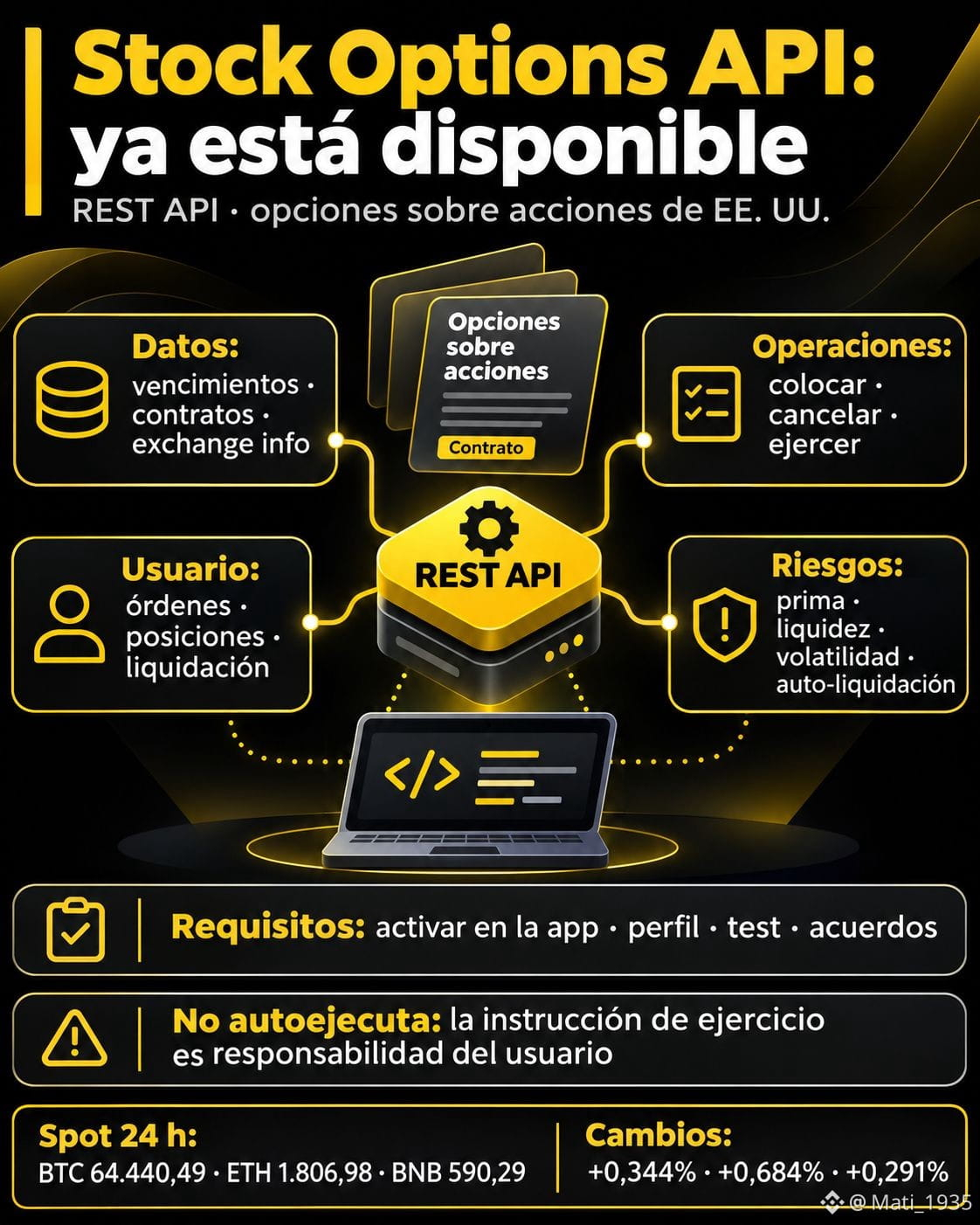
On November 18, 2026, Binance announced that its REST API for Stock Options is now available for options on U.S.-listed stocks. It allows users to integrate data and manage positions in their own systems, but it does not make a strategy safe or eliminate the need for oversight.
The API provides expiration dates, contracts, and exchange information. It also allows users to place, cancel, or cancel all orders, and submit exercise instructions. User data includes open orders, history, trades, positions, exercisable options, and settlement events. It includes streams with a listen key and Order Report V2.
To use it, users must enable Stock Options in the Binance app. Accounts cannot be opened via API: an investor profile, knowledge test, agreements, and risk disclosures are required. The API uses the same SAPI base.
For its infrastructure, Nest Trading Limited acts as an introducing broker and routes execution, clearing, settlement, and custody to Alpaca Securities LLC. Binance says it does not custody the securities. An option is a right, not ownership of the stock; the premium can be lost entirely.
Operational risk: an option can expire worthless. Even if it is in the money, it is not exercised automatically unless an instruction is submitted before the cutoff; it may be sold through best-effort auto-liquidation. Liquidity, volatility, trading hours, and automation errors remain risks. Automating the cycle does not automate risk management.
Market snapshot (24-hour spot, captured at 10:24 UTC): BTC 64,440.49 USDT (+0.344%); ETH 1,806.98 (+0.684%); BNB 590.29 (+0.291%). These are crypto data, not a signal about stock options.
$BTC $ETH $BNB
Educational Content. Not financial advice.
#StockOptions #BinanceAPI #OptionsTrading #RiskManagement #EducacionCrypto
Binance enables API for Stock Options: what it allows and what it doesn’t automate
On November 18, 2026, Binance announced that its REST API for Stock Options is now available for options on U.S.-listed stocks. It allows users to integrate data and manage positions in their own systems, but it does not make a strategy safe or eliminate the need for oversight.
The API provides expiration dates, contracts, and exchange information. It also allows users to place, cancel, or cancel all orders, and submit exercise instructions. User data includes open orders, history, trades, positions, exercisable options, and settlement events. It includes streams with a listen key and Order Report V2.
To use it, users must enable Stock Options in the Binance app. Accounts cannot be opened via API: an investor profile, knowledge test, agreements, and risk disclosures are required. The API uses the same SAPI base.
For its infrastructure, Nest Trading Limited acts as an introducing broker and routes execution, clearing, settlement, and custody to Alpaca Securities LLC. Binance says it does not custody the securities. An option is a right, not ownership of the stock; the premium can be lost entirely.
Operational risk: an option can expire worthless. Even if it is in the money, it is not exercised automatically unless an instruction is submitted before the cutoff; it may be sold through best-effort auto-liquidation. Liquidity, volatility, trading hours, and automation errors remain risks. Automating the cycle does not automate risk management.
Market snapshot (24-hour spot, captured at 10:24 UTC): BTC 64,440.49 USDT (+0.344%); ETH 1,806.98 (+0.684%); BNB 590.29 (+0.291%). These are crypto data, not a signal about stock options.
$BTC $ETH $BNB
Educational Content. Not financial advice.
#StockOptions #BinanceAPI #OptionsTrading #RiskManagement #EducacionCrypto
On November 18, 2026, Binance announced that its REST API for Stock Options is now available for options on U.S.-listed stocks. It allows users to integrate data and manage positions in their own systems, but it does not make a strategy safe or eliminate the need for oversight.
The API provides expiration dates, contracts, and exchange information. It also allows users to place, cancel, or cancel all orders, and submit exercise instructions. User data includes open orders, history, trades, positions, exercisable options, and settlement events. It includes streams with a listen key and Order Report V2.
To use it, users must enable Stock Options in the Binance app. Accounts cannot be opened via API: an investor profile, knowledge test, agreements, and risk disclosures are required. The API uses the same SAPI base.
For its infrastructure, Nest Trading Limited acts as an introducing broker and routes execution, clearing, settlement, and custody to Alpaca Securities LLC. Binance says it does not custody the securities. An option is a right, not ownership of the stock; the premium can be lost entirely.
Operational risk: an option can expire worthless. Even if it is in the money, it is not exercised automatically unless an instruction is submitted before the cutoff; it may be sold through best-effort auto-liquidation. Liquidity, volatility, trading hours, and automation errors remain risks. Automating the cycle does not automate risk management.
Market snapshot (24-hour spot, captured at 10:24 UTC): BTC 64,440.49 USDT (+0.344%); ETH 1,806.98 (+0.684%); BNB 590.29 (+0.291%). These are crypto data, not a signal about stock options.
$BTC $ETH $BNB
Educational Content. Not financial advice.
#StockOptions #BinanceAPI #OptionsTrading #RiskManagement #EducacionCrypto
130



·
--
Article
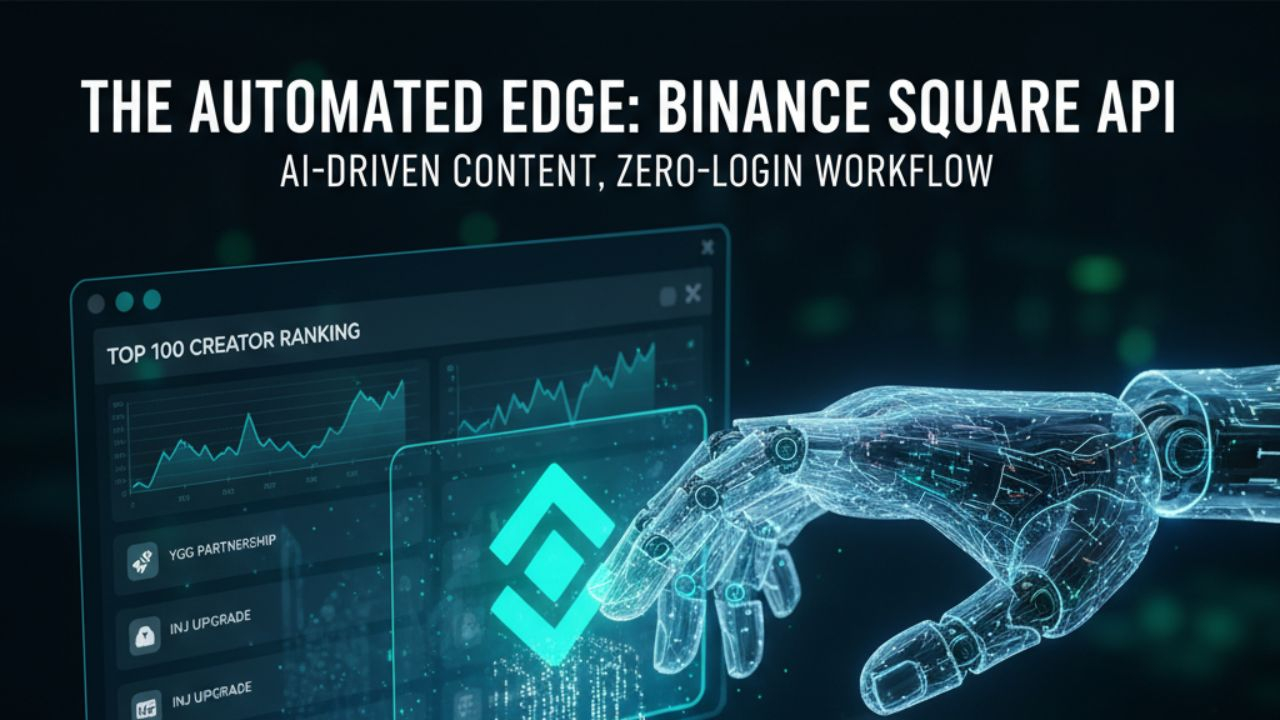
The Content Creator’s Edge: Mastering the New Binance Square API for AI-Driven AutomationIn the fast-evolving world of Web3 content creation, "Consistency is King." For creators aiming for the Binance Square Top 100, the barrier has never been about the quality of ideas, but the sheer manual labor required to post, engage, and update in real-time.
Recognizing this, Binance has officially launched the Binance Square Skill, a revolutionary API-driven feature within the Binance Skills Hub. This update allows creators to programmatically publish content via AI agents—all without needing to manually log into the app for every single update.
This article provides an exhaustive 2,000-word deep dive into how this technology works, why it is a game-changer for high-volume creators, and a step-by-step guide to setting up your own "AI Content Factory."
1. The Paradigm Shift: Why an API for Content?
Traditionally, social platforms have been "walled gardens." To post, you had to use the UI. For a creator managing multiple projects—like Yield Guild Games (YGG) for gaming, Injective for DeFi, or Linea for L2 scaling—this meant hours of copy-pasting and manual scheduling.
The new Binance Square Skill changes the game by treating content as data. By exposing a dedicated "Posting API," Binance allows external "brains" (AI Agents) to talk directly to your Square profile.
Key Benefits of the API Update:
Zero-Login Workflow: Once configured, your AI agent can post while you sleep.Security Isolation: The API key is restricted only to posting. It has no access to your wallet, spot balance, or trading features.High-Volume Scalability: With a limit of 100 posts per day, creators can finally maintain the frequency required to dominate the "Discover" feed.Real-Time Response: You can program your system to post the moment an on-chain event happens (e.g., a new Morpho vault opening or a major YGG partnership).
2. Technical Architecture: How the "AI Agent" Setup Works
To understand the setup, you must understand the three pillars of this new system:
A. The Binance Square Creator Center
This is your "Control Tower." It is where you generate the credentials. Unlike standard Trading APIs, the Square Posting API is a specialized key designed specifically for the "Skills Hub."
B. The AI Agent (e.g., OpenClaw, Claude Code)
The "Agent" is the engine. It isn't just a chatbot; it is a piece of software capable of executing "Skills." When you give it the Binance Square Skill, it gains the "hand" it needs to write to the blockchain-social interface.
C. The Binance Skills Hub
This is the bridge. It contains the standardized code (the "Skill") that tells the AI Agent exactly how to format a request so that Binance’s servers accept it as a valid post.
3. Step-by-Step Implementation Guide
Setting up your automated system takes about 10 minutes. Here is the exact path to follow:
Step 1: Generate your Specialized API Key
Log into the Binance Square Creator Center.Navigate to the AI Skills / API Management section.Click "Create API Key."Crucial: Ensure only the "Square Publishing" permission is checked.Save your API Key and Secret Key immediately in a secure location (like a password manager).
Step 2: Choose and Initialize Your AI Agent
While many agents work, OpenClaw is currently the community favorite for Binance integration due to its native support for the "Skills Hub."
Install the agent on your local machine or a VPS (Virtual Private Server) if you want 24/7 uptime.
Step 3: Install the "Square-Post" Skill
In your agent's command interface, you need to point it to the official Binance GitHub repository for skills. Use the command:
help me install the skill: https://github.com/binance/binance-skills-hub/tree/main/skills/binance/square-post
Step 4: Configure the Connection
Give the agent your credentials by saying:
"My Square posting API Key is [YOUR_KEY]."
The agent will now run a handshake protocol to verify it can talk to your account.
4. Advanced Strategy: Automating "Alpha" for Specific Projects
Since your goal is to support specific projects like Injective, Morpho, and YGG, a generic "post everything" bot won't work. You need Context-Aware Automation.
For DeFi (Injective & Morpho):
Set up your AI Agent to monitor the official RSS feeds or Twitter accounts of these projects.
Logic: If Injective announces a new dApp, the AI summarizes the technical docs and posts a "Top 3 Things to Know" thread to Square within 60 seconds.
For L2 Scaling (Plasma & Linea):
Automation is perfect for technical explainers. You can program the AI to post "L2 Educational Series: Part 1-50" at a rate of 3 posts per day, ensuring your profile becomes a hub for newcomers to the Linea ecosystem.
For P2E Gaming (Yield Guild Games):
Use the API to post daily "Gaming Quests" or scholarship updates. Since the gaming market moves fast, being the first to post about a new YGG sub-DAO on Square can yield massive engagement.
5. Staying Compliant: The "Human-in-the-Loop" Model
While the API allows for 100% automation, Binance Square rewards Quality. Over-posting low-quality AI "slop" will lead to shadowbans or low reach.
The Pro Workflow:
AI Drafts: The agent creates 70 posts based on the day’s crypto news.Human Review: You spend 20 minutes in the morning scanning the queue.API Execution: You give the command: "Everything looks good. Release the queue at 15-minute intervals."
This allows you to keep your "Human Touch" while leveraging the "Robot’s Speed."
6. Limits and Safety Precautions
The 100-Post Cap: This is a "soft limit" to prevent spam. If you hit 100 posts, the API will return a 429 Error (Too Many Requests).Plain Text vs. Media: Currently, the API focus is on text and emojis. For cinematic photography or collages, you may still need to manually upload images to the Square UI, though future updates are expected to support image URLs.Rotation: It is recommended to regenerate your API key every 30-90 days as a security best practice.
7. Conclusion: The Path to the Top 100
The new Binance Square API update isn't just a technical feature; it’s a competitive advantage. By removing the friction of "logging in" and "manual typing," creators can pivot their focus to Strategy and Community Building.
If you are serious about becoming a top creator for Injective, Linea, or Morpho, start by automating your news-curation. Let the AI handle the "what happened," so you can spend your time on Square replying to comments and building the "who" (your followers).
The future of content on Binance Square is automated, AI-augmented, and faster than ever. Are you ready to plug in?
Disclaimer: This article is for educational purposes only. Always ensure your content complies with the Binance Square Community Guidelines.
#API #binanceapi #newfeature
The Content Creator’s Edge: Mastering the New Binance Square API for AI-Driven Automation
In the fast-evolving world of Web3 content creation, "Consistency is King." For creators aiming for the Binance Square Top 100, the barrier has never been about the quality of ideas, but the sheer manual labor required to post, engage, and update in real-time.
Recognizing this, Binance has officially launched the Binance Square Skill, a revolutionary API-driven feature within the Binance Skills Hub. This update allows creators to programmatically publish content via AI agents—all without needing to manually log into the app for every single update.
This article provides an exhaustive 2,000-word deep dive into how this technology works, why it is a game-changer for high-volume creators, and a step-by-step guide to setting up your own "AI Content Factory."
1. The Paradigm Shift: Why an API for Content?
Traditionally, social platforms have been "walled gardens." To post, you had to use the UI. For a creator managing multiple projects—like Yield Guild Games (YGG) for gaming, Injective for DeFi, or Linea for L2 scaling—this meant hours of copy-pasting and manual scheduling.
The new Binance Square Skill changes the game by treating content as data. By exposing a dedicated "Posting API," Binance allows external "brains" (AI Agents) to talk directly to your Square profile.
Key Benefits of the API Update:
Zero-Login Workflow: Once configured, your AI agent can post while you sleep.Security Isolation: The API key is restricted only to posting. It has no access to your wallet, spot balance, or trading features.High-Volume Scalability: With a limit of 100 posts per day, creators can finally maintain the frequency required to dominate the "Discover" feed.Real-Time Response: You can program your system to post the moment an on-chain event happens (e.g., a new Morpho vault opening or a major YGG partnership).
2. Technical Architecture: How the "AI Agent" Setup Works
To understand the setup, you must understand the three pillars of this new system:
A. The Binance Square Creator Center
This is your "Control Tower." It is where you generate the credentials. Unlike standard Trading APIs, the Square Posting API is a specialized key designed specifically for the "Skills Hub."
B. The AI Agent (e.g., OpenClaw, Claude Code)
The "Agent" is the engine. It isn't just a chatbot; it is a piece of software capable of executing "Skills." When you give it the Binance Square Skill, it gains the "hand" it needs to write to the blockchain-social interface.
C. The Binance Skills Hub
This is the bridge. It contains the standardized code (the "Skill") that tells the AI Agent exactly how to format a request so that Binance’s servers accept it as a valid post.
3. Step-by-Step Implementation Guide
Setting up your automated system takes about 10 minutes. Here is the exact path to follow:
Step 1: Generate your Specialized API Key
Log into the Binance Square Creator Center.Navigate to the AI Skills / API Management section.Click "Create API Key."Crucial: Ensure only the "Square Publishing" permission is checked.Save your API Key and Secret Key immediately in a secure location (like a password manager).
Step 2: Choose and Initialize Your AI Agent
While many agents work, OpenClaw is currently the community favorite for Binance integration due to its native support for the "Skills Hub."
Install the agent on your local machine or a VPS (Virtual Private Server) if you want 24/7 uptime.
Step 3: Install the "Square-Post" Skill
In your agent's command interface, you need to point it to the official Binance GitHub repository for skills. Use the command:
help me install the skill: https://github.com/binance/binance-skills-hub/tree/main/skills/binance/square-post
Step 4: Configure the Connection
Give the agent your credentials by saying:
"My Square posting API Key is [YOUR_KEY]."
The agent will now run a handshake protocol to verify it can talk to your account.
4. Advanced Strategy: Automating "Alpha" for Specific Projects
Since your goal is to support specific projects like Injective, Morpho, and YGG, a generic "post everything" bot won't work. You need Context-Aware Automation.
For DeFi (Injective & Morpho):
Set up your AI Agent to monitor the official RSS feeds or Twitter accounts of these projects.
Logic: If Injective announces a new dApp, the AI summarizes the technical docs and posts a "Top 3 Things to Know" thread to Square within 60 seconds.
For L2 Scaling (Plasma & Linea):
Automation is perfect for technical explainers. You can program the AI to post "L2 Educational Series: Part 1-50" at a rate of 3 posts per day, ensuring your profile becomes a hub for newcomers to the Linea ecosystem.
For P2E Gaming (Yield Guild Games):
Use the API to post daily "Gaming Quests" or scholarship updates. Since the gaming market moves fast, being the first to post about a new YGG sub-DAO on Square can yield massive engagement.
5. Staying Compliant: The "Human-in-the-Loop" Model
While the API allows for 100% automation, Binance Square rewards Quality. Over-posting low-quality AI "slop" will lead to shadowbans or low reach.
The Pro Workflow:
AI Drafts: The agent creates 70 posts based on the day’s crypto news.Human Review: You spend 20 minutes in the morning scanning the queue.API Execution: You give the command: "Everything looks good. Release the queue at 15-minute intervals."
This allows you to keep your "Human Touch" while leveraging the "Robot’s Speed."
6. Limits and Safety Precautions
The 100-Post Cap: This is a "soft limit" to prevent spam. If you hit 100 posts, the API will return a 429 Error (Too Many Requests).Plain Text vs. Media: Currently, the API focus is on text and emojis. For cinematic photography or collages, you may still need to manually upload images to the Square UI, though future updates are expected to support image URLs.Rotation: It is recommended to regenerate your API key every 30-90 days as a security best practice.
7. Conclusion: The Path to the Top 100
The new Binance Square API update isn't just a technical feature; it’s a competitive advantage. By removing the friction of "logging in" and "manual typing," creators can pivot their focus to Strategy and Community Building.
If you are serious about becoming a top creator for Injective, Linea, or Morpho, start by automating your news-curation. Let the AI handle the "what happened," so you can spend your time on Square replying to comments and building the "who" (your followers).
The future of content on Binance Square is automated, AI-augmented, and faster than ever. Are you ready to plug in?
Disclaimer: This article is for educational purposes only. Always ensure your content complies with the Binance Square Community Guidelines.
#API #binanceapi #newfeature
Recognizing this, Binance has officially launched the Binance Square Skill, a revolutionary API-driven feature within the Binance Skills Hub. This update allows creators to programmatically publish content via AI agents—all without needing to manually log into the app for every single update.
This article provides an exhaustive 2,000-word deep dive into how this technology works, why it is a game-changer for high-volume creators, and a step-by-step guide to setting up your own "AI Content Factory."
1. The Paradigm Shift: Why an API for Content?
Traditionally, social platforms have been "walled gardens." To post, you had to use the UI. For a creator managing multiple projects—like Yield Guild Games (YGG) for gaming, Injective for DeFi, or Linea for L2 scaling—this meant hours of copy-pasting and manual scheduling.
The new Binance Square Skill changes the game by treating content as data. By exposing a dedicated "Posting API," Binance allows external "brains" (AI Agents) to talk directly to your Square profile.
Key Benefits of the API Update:
Zero-Login Workflow: Once configured, your AI agent can post while you sleep.Security Isolation: The API key is restricted only to posting. It has no access to your wallet, spot balance, or trading features.High-Volume Scalability: With a limit of 100 posts per day, creators can finally maintain the frequency required to dominate the "Discover" feed.Real-Time Response: You can program your system to post the moment an on-chain event happens (e.g., a new Morpho vault opening or a major YGG partnership).
2. Technical Architecture: How the "AI Agent" Setup Works
To understand the setup, you must understand the three pillars of this new system:
A. The Binance Square Creator Center
This is your "Control Tower." It is where you generate the credentials. Unlike standard Trading APIs, the Square Posting API is a specialized key designed specifically for the "Skills Hub."
B. The AI Agent (e.g., OpenClaw, Claude Code)
The "Agent" is the engine. It isn't just a chatbot; it is a piece of software capable of executing "Skills." When you give it the Binance Square Skill, it gains the "hand" it needs to write to the blockchain-social interface.
C. The Binance Skills Hub
This is the bridge. It contains the standardized code (the "Skill") that tells the AI Agent exactly how to format a request so that Binance’s servers accept it as a valid post.
3. Step-by-Step Implementation Guide
Setting up your automated system takes about 10 minutes. Here is the exact path to follow:
Step 1: Generate your Specialized API Key
Log into the Binance Square Creator Center.Navigate to the AI Skills / API Management section.Click "Create API Key."Crucial: Ensure only the "Square Publishing" permission is checked.Save your API Key and Secret Key immediately in a secure location (like a password manager).
Step 2: Choose and Initialize Your AI Agent
While many agents work, OpenClaw is currently the community favorite for Binance integration due to its native support for the "Skills Hub."
Install the agent on your local machine or a VPS (Virtual Private Server) if you want 24/7 uptime.
Step 3: Install the "Square-Post" Skill
In your agent's command interface, you need to point it to the official Binance GitHub repository for skills. Use the command:
help me install the skill: https://github.com/binance/binance-skills-hub/tree/main/skills/binance/square-post
Step 4: Configure the Connection
Give the agent your credentials by saying:
"My Square posting API Key is [YOUR_KEY]."
The agent will now run a handshake protocol to verify it can talk to your account.
4. Advanced Strategy: Automating "Alpha" for Specific Projects
Since your goal is to support specific projects like Injective, Morpho, and YGG, a generic "post everything" bot won't work. You need Context-Aware Automation.
For DeFi (Injective & Morpho):
Set up your AI Agent to monitor the official RSS feeds or Twitter accounts of these projects.
Logic: If Injective announces a new dApp, the AI summarizes the technical docs and posts a "Top 3 Things to Know" thread to Square within 60 seconds.
For L2 Scaling (Plasma & Linea):
Automation is perfect for technical explainers. You can program the AI to post "L2 Educational Series: Part 1-50" at a rate of 3 posts per day, ensuring your profile becomes a hub for newcomers to the Linea ecosystem.
For P2E Gaming (Yield Guild Games):
Use the API to post daily "Gaming Quests" or scholarship updates. Since the gaming market moves fast, being the first to post about a new YGG sub-DAO on Square can yield massive engagement.
5. Staying Compliant: The "Human-in-the-Loop" Model
While the API allows for 100% automation, Binance Square rewards Quality. Over-posting low-quality AI "slop" will lead to shadowbans or low reach.
The Pro Workflow:
AI Drafts: The agent creates 70 posts based on the day’s crypto news.Human Review: You spend 20 minutes in the morning scanning the queue.API Execution: You give the command: "Everything looks good. Release the queue at 15-minute intervals."
This allows you to keep your "Human Touch" while leveraging the "Robot’s Speed."
6. Limits and Safety Precautions
The 100-Post Cap: This is a "soft limit" to prevent spam. If you hit 100 posts, the API will return a 429 Error (Too Many Requests).Plain Text vs. Media: Currently, the API focus is on text and emojis. For cinematic photography or collages, you may still need to manually upload images to the Square UI, though future updates are expected to support image URLs.Rotation: It is recommended to regenerate your API key every 30-90 days as a security best practice.
7. Conclusion: The Path to the Top 100
The new Binance Square API update isn't just a technical feature; it’s a competitive advantage. By removing the friction of "logging in" and "manual typing," creators can pivot their focus to Strategy and Community Building.
If you are serious about becoming a top creator for Injective, Linea, or Morpho, start by automating your news-curation. Let the AI handle the "what happened," so you can spend your time on Square replying to comments and building the "who" (your followers).
The future of content on Binance Square is automated, AI-augmented, and faster than ever. Are you ready to plug in?
Disclaimer: This article is for educational purposes only. Always ensure your content complies with the Binance Square Community Guidelines.
#API #binanceapi #newfeature
7
407
Log in to explore more content
Join global crypto users on Binance Square
⚡️ Get latest and useful information about crypto.
💬 Trusted by the world’s largest crypto exchange.
👍 Discover real insights from verified creators.
Email / Phone number
Trending Topics
1
#CanBTCReboundAfterFallingBelow60K?
374,440 views
1,575 Discussing
2
#GlobalStocksFaceLongestLosingStreakSince2023
123,905 views
1,111 Discussing
3
#BlackRockIBITPostsRecord$541MSingleDayOutflow
721 views
17 Discussing
4
#AnthropicPlungesTowardIPOPriceonDay2
59,580 views
600 Discussing
5
#TwentyOneCapitalAdds172.25BTC
12,105 views
165 Discussing
6
#HKBillWouldExcludeTokenizedDepositsFromVirtualAssets
1,017 views
15 Discussing
7
#BNBDropsBelow540USDTWith8.46%DailyDecline
32,808 views
280 Discussing
8
#HKBillProposesHK$100KFineForUnauthorizedCryptoTitles
1,079 views
16 Discussing
9
#BitMineFaces$10.1BUnrealizedETHLoss
2,028 views
19 Discussing
10
#StrategyReports$35BNetReserves
2,046 views
18 Discussing