
#binancep2p
binancep2p
6M views
4,263 Discussing
Hot
Latest

Did you buy USDT on Binance P2P and it doesn’t appear in your Spot wallet?
Don’t worry! Your funds are most likely in another Binance internal wallet; it doesn’t mean you’ve lost your money.
📚 First, let’s get to know the two main wallets:
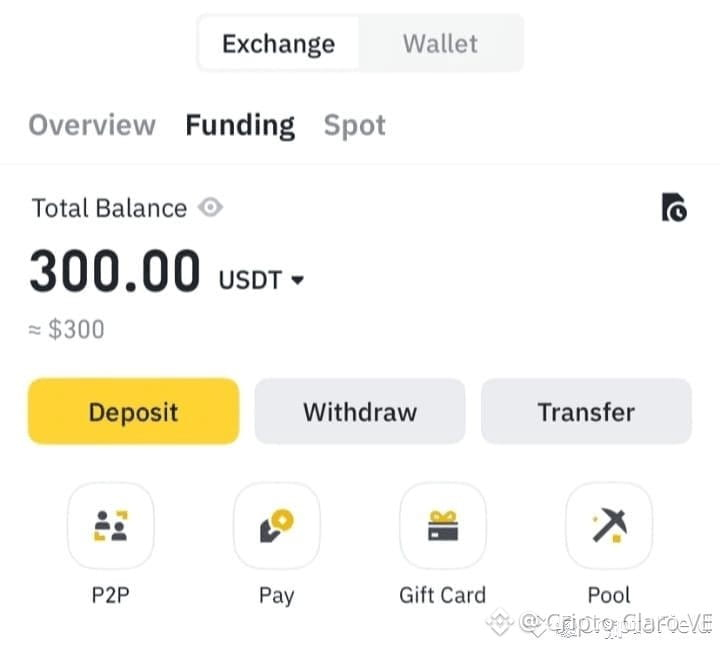
🔹 1. Funding Wallet: It’s designed for transactions such as Binance P2P, Binance Pay, and payment features. When you buy $USDT on P2P, your funds usually arrive here.
🔹 2. Spot Wallet: This is the main wallet for trading on the Spot market, buying, selling, or exchanging cryptocurrencies.
💡 How do you transfer your USDT from Funding to Spot?
1️⃣ Go to the Assets (or Portfolio) section in Binance.
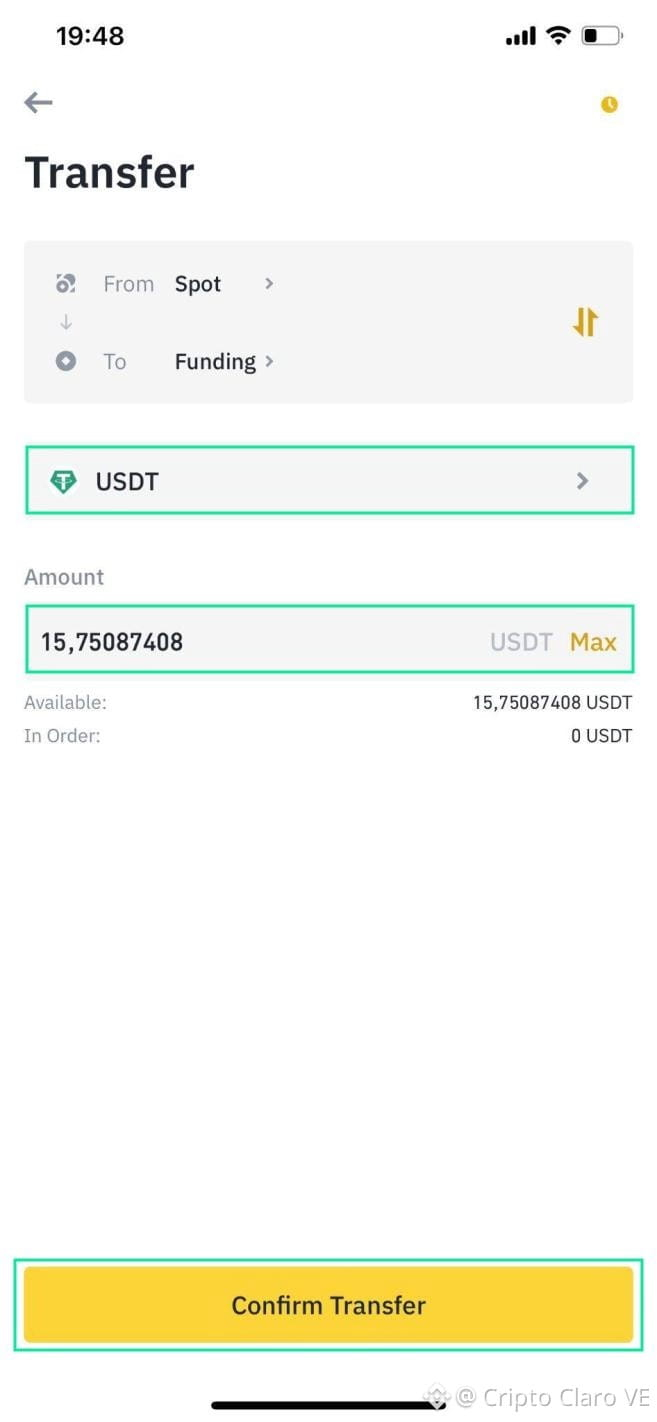
2️⃣ Tap Transfer.
3️⃣ Under From, select Funding.
4️⃣ Under To, choose Spot.
5️⃣ Select USDT, enter the amount, and confirm.
That’s it! Your balance will be available in your Spot wallet.
📌 Key point: Internal transfers between your own Binance wallets are free and instant. You don’t need to make a withdrawal or use a blockchain network to move your funds.
⚠️ Remember: If you can’t find a transaction, check your transaction history and the different wallets first before making another transaction.
📖 Understanding how your funds move is also part of financial education.
Did you already know about this difference between Funding and Spot, or did it happen to you when you were starting out? 👇
#CriptoClaroVE #BinanceSquare #BinanceP2P #USDT #EducacionCripto
80
·
--
Article
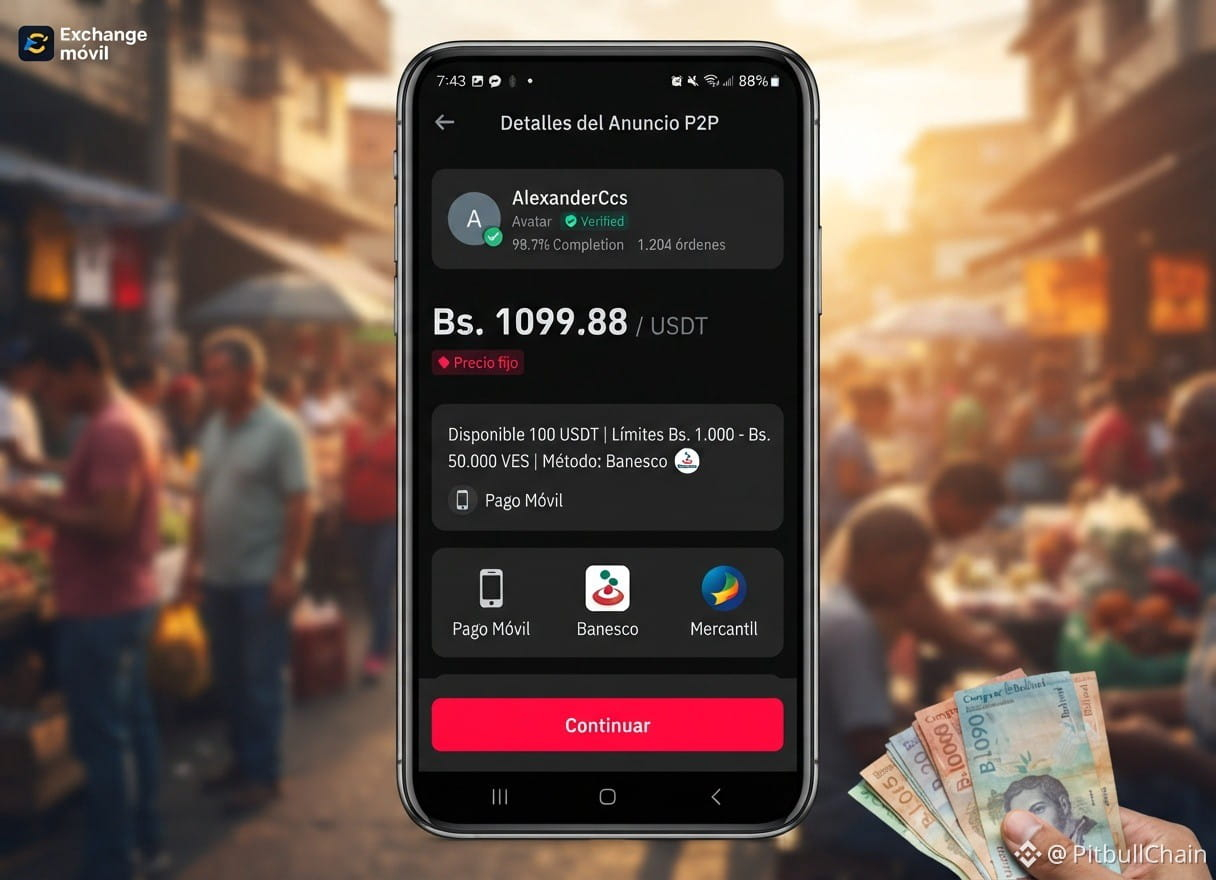
The premium isn’t a prize: a P2P traffic lightThe 19.71% premium isn’t a prize: it’s a traffic light. 🚦 Today, Friday, Nov. 20, the P2P market for $USDT on Binance opened with 257 active offers, a buy price of Bs. 1,099.88 and a sell price of Bs. 1,041.85. The BCV rate is Bs. 918.77. That’s the full picture: a spread of Bs. 58.03 (5.57%) and a premium that’s a clear sign people are feeling the squeeze.
How do you read it without the hype?
1) The premium is not a promise. It’s the gap between P2P and the BCV rate. It tells you the market is tense, not that you’ll get a high estimated return. That return depends on the spread, fees, and the exchange rate at the time.
The premium isn’t a prize: a P2P traffic light
The 19.71% premium isn’t a prize: it’s a traffic light. 🚦 Today, Friday, Nov. 20, the P2P market for $USDT on Binance opened with 257 active offers, a buy price of Bs. 1,099.88 and a sell price of Bs. 1,041.85. The BCV rate is Bs. 918.77. That’s the full picture: a spread of Bs. 58.03 (5.57%) and a premium that’s a clear sign people are feeling the squeeze.
How do you read it without the hype?
1) The premium is not a promise. It’s the gap between P2P and the BCV rate. It tells you the market is tense, not that you’ll get a high estimated return. That return depends on the spread, fees, and the exchange rate at the time.
How do you read it without the hype?
1) The premium is not a promise. It’s the gap between P2P and the BCV rate. It tells you the market is tense, not that you’ll get a high estimated return. That return depends on the spread, fees, and the exchange rate at the time.
12
·
--
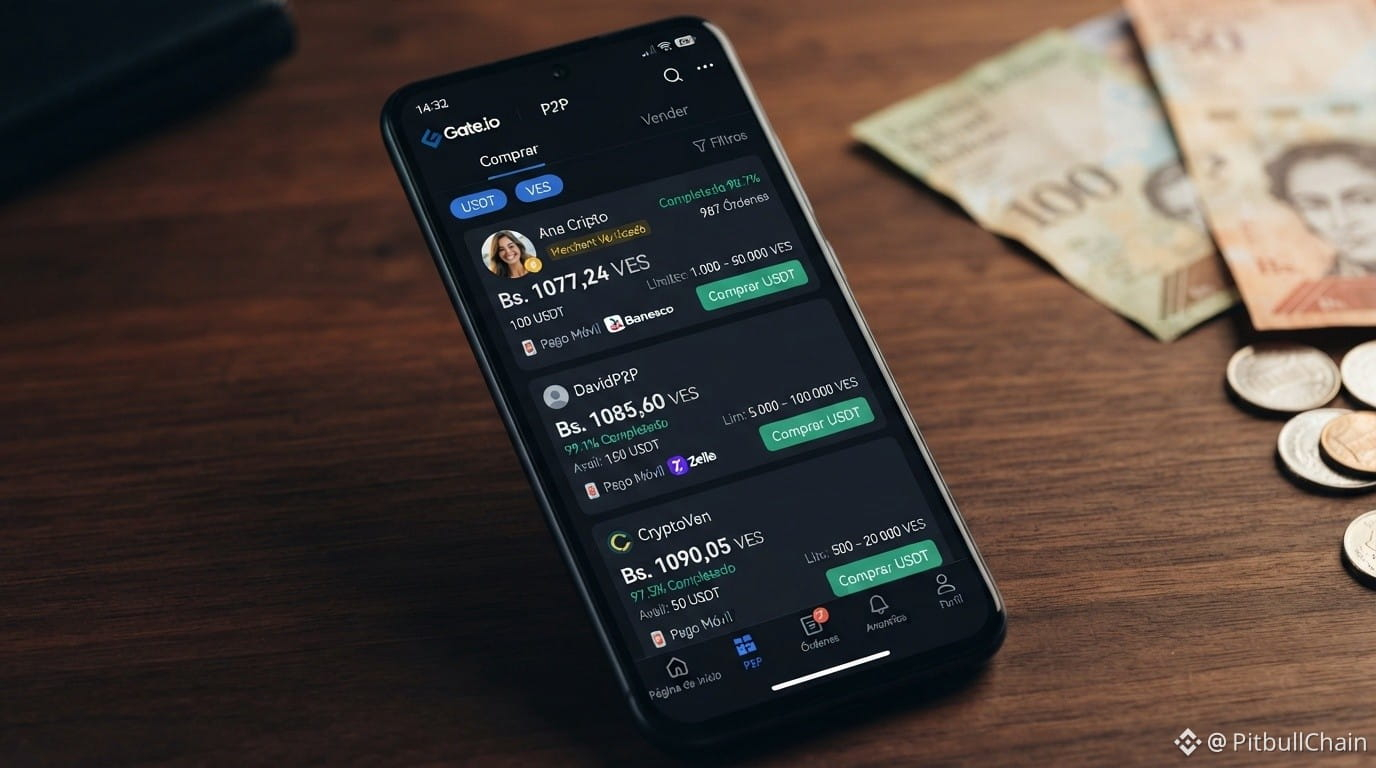
Article
2.83% gap between Binance and other platforms in P2P USDT tradingLive P2P Radar Snapshot: 19/11/2026, 2:00:19 a.m.
USDT/VES reference Bs. 1094.91
Buy USDT Bs. 1094.91
USDT Sell Bs. 1051.68
BCV Bs. 917.78
Premium vs. BCV 19.3%
P2P spread 4.11%
Offers observed 175
Check current data on P2P Radar
Live monitoring of the Venezuelan market recorded a 2.83% price variation on November 19, 2026, between Binance and other P2P trading platforms for the USDT/VES pair. While the reference price on Binance stood at Bs. 1,077.25 per unit, it reached Bs. 1,107.73 on other platforms, representing a nominal difference, or spread, of Bs. 30.48 per USDT.
2.83% gap between Binance and other platforms in P2P USDT trading
Live P2P Radar Snapshot: 19/11/2026, 2:00:19 a.m.
USDT/VES reference Bs. 1094.91
Buy USDT Bs. 1094.91
USDT Sell Bs. 1051.68
BCV Bs. 917.78
Premium vs. BCV 19.3%
P2P spread 4.11%
Offers observed 175
Check current data on P2P Radar
Live monitoring of the Venezuelan market recorded a 2.83% price variation on November 19, 2026, between Binance and other P2P trading platforms for the USDT/VES pair. While the reference price on Binance stood at Bs. 1,077.25 per unit, it reached Bs. 1,107.73 on other platforms, representing a nominal difference, or spread, of Bs. 30.48 per USDT.
13

·
--
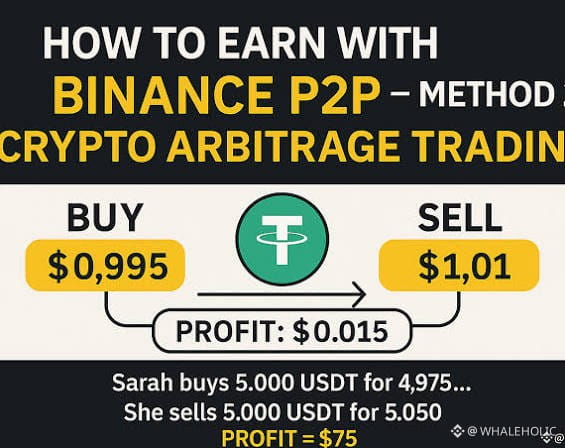
Did you know you can make steady daily profits without predicting whether $BTC goes up or down? 🔄💵
Welcome to Binance P2P Arbitrage! By watching price spreads across different local payment methods on $USDT , disciplined traders buy slightly below market rate and sell slightly above it. Making just $3 to $5 a day turns a $50 starter stack into $100 in under two weeks.
Always trade with verified merchants and double-check bank receipts! Have you tried P2P trading yet?
#BinanceP2P #USDT #CryptoArbitrage #MakeMoneyOnline #TradingTips
10

·
--
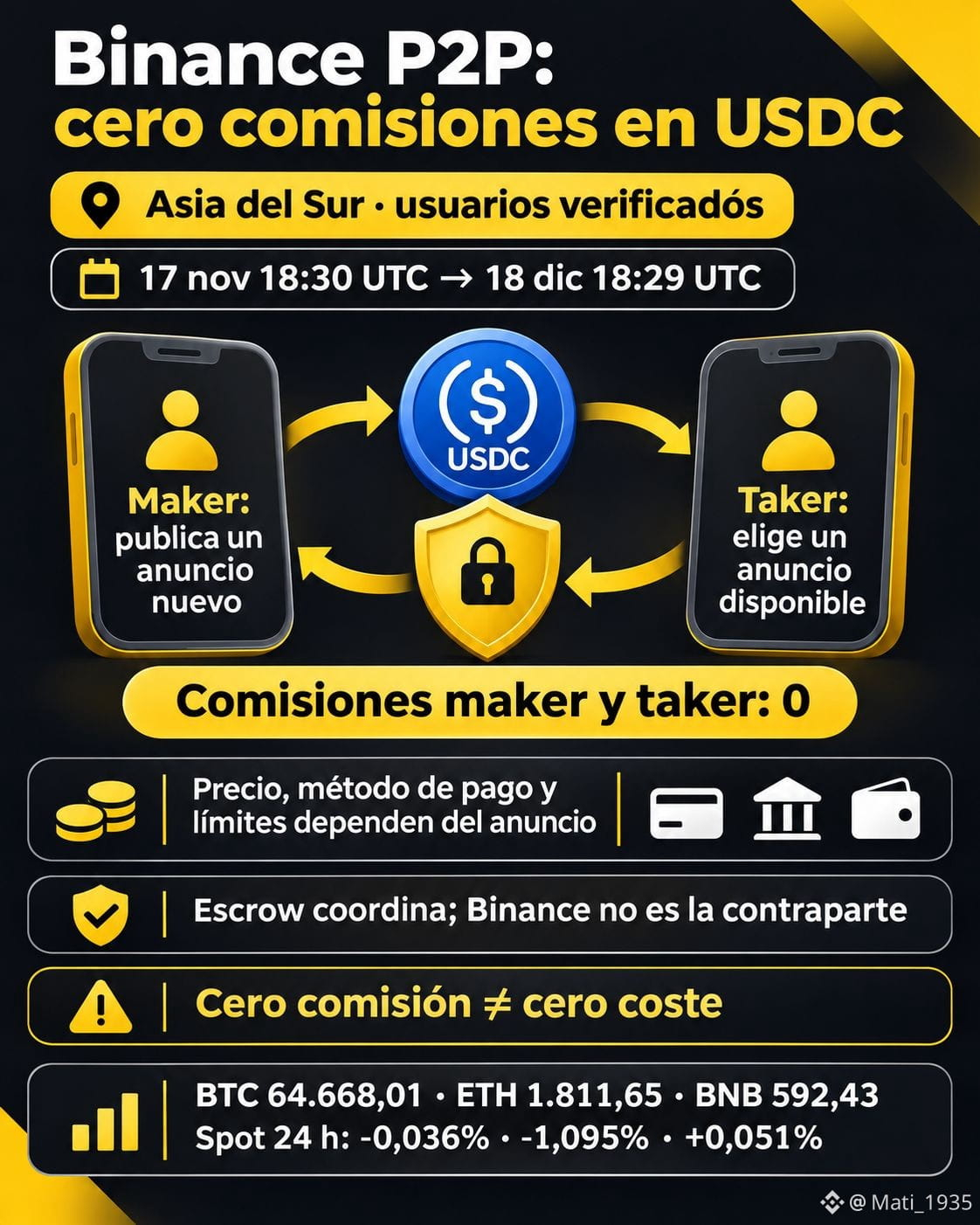
Binance activates zero P2P fees for USDC for eligible users in South Asia
On November 18, 2026, Binance announced a regional promotion for verified users in South Asia. The promotion runs from November 17 at 18:30 UTC to December 18 at 18:29 UTC.
The offer covers all USDC trading pairs on Binance P2P and automatically removes maker and taker fees on eligible successful trades. To be a maker, you must post a new USDC buy or sell ad. Takers can buy or sell through any available ad.
Makers retain control over pricing and payment methods. Takers compare ads and choose the combination that suits them. Binance escrow coordinates delivery of the crypto asset once both parties confirm payment, but Binance is not a counterparty and does not guarantee price, liquidity, or freedom from disputes.
Operational takeaway: removing the visible fee reduces one cost, but the spread between ads, payment method, limits, settlement times, and counterparty risk remain relevant. “Zero fees” does not mean “zero cost” or guarantee a better quote.
The promotion is not global: it requires verification and eligible residency. P2P trades take place directly between users; completed payments may be final, and protection depends on following the platform's process. Check identity, ad reputation, local currency, and terms. Do not use external channels or share credentials.
Market snapshot (24-hour spot data captured at 06:18 UTC): BTC is trading at 64.668,01 USDT (-0,036%); ETH at 1.811,65 (-1,095%); BNB at 592,43 (+0,051%). These changes describe the crypto market context, not the quality or suitability of a P2P offer.
$USDC $BTC $BNB
Educational content. Not financial advice.
#BinanceP2P #USDC #SouthAsia #Stablecoins #CryptoEducation
88
·
--
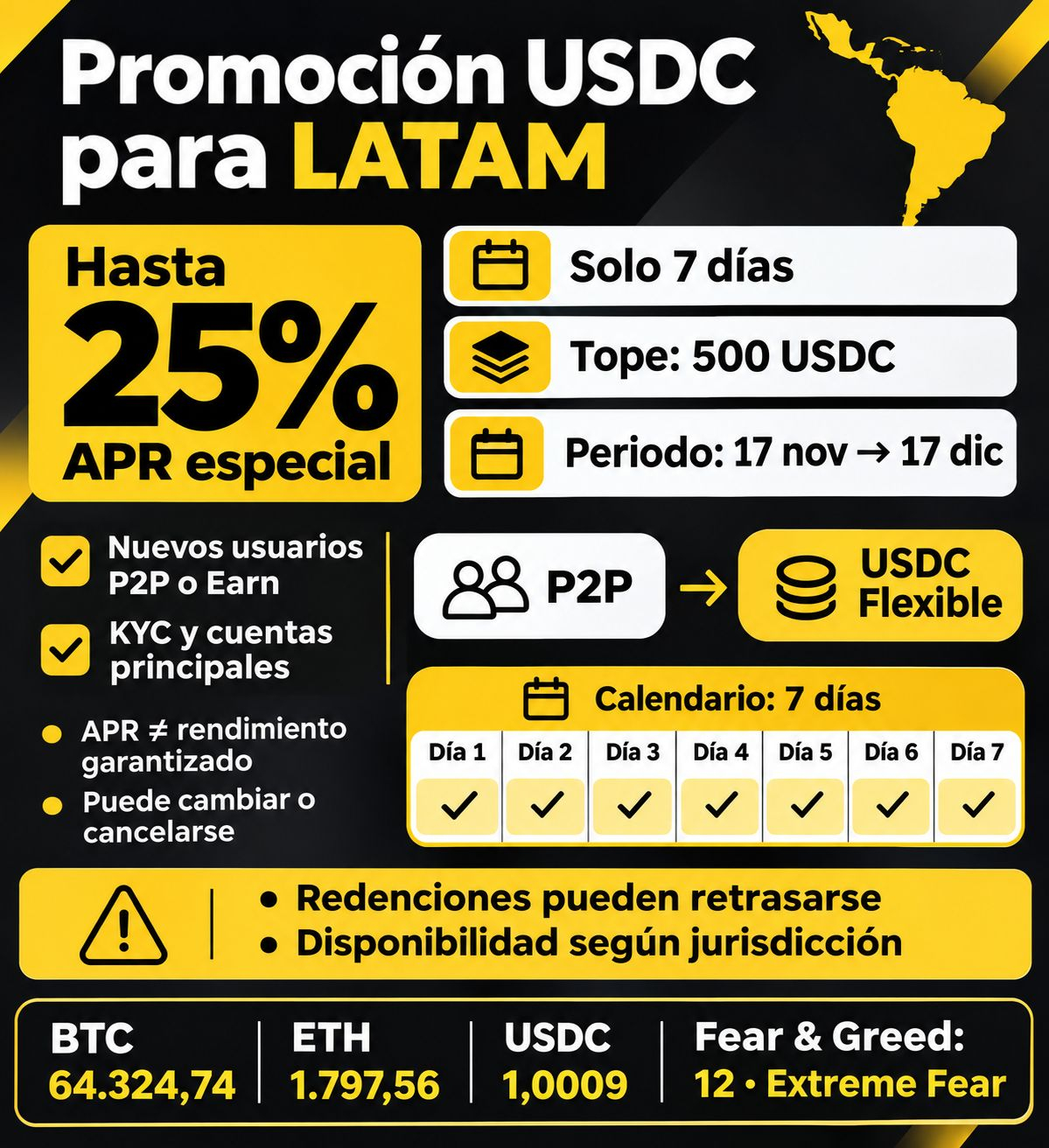
Binance offers up to 25% promotional APR on USDC for new LATAM P2P users
Binance’s official Announcement account shared a promotion on Square for new P2P users in Latin America on November 17, 2026. It is a limited-time campaign; it does not constitute a guaranteed return or a recommendation to buy USDC.
Confirmed details: during the period from November 17 to December 17 (UTC), eligible users who had never used Earn or P2P before the cutoff date can buy crypto through P2P Buy and subscribe to USDC Flexible Products. The announced benefit is a special APR of up to 25% for seven days, added to the real-time APR.
The actual limit matters: the special APR is calculated on only up to 500 USDC per user. Any amount above that receives only the real-time APR, which can change every minute. The campaign is available on a first-come, first-served basis, requires identity verification, and applies only to main accounts; availability may vary by jurisdiction.
The fine print prevents confusing APR with a fixed yield: the special reward starts accruing according to the rules and daily snapshots, is distributed afterward, and stops accruing on any redeemed amount. Binance may modify or cancel the promotion; a wave of redemptions could also temporarily delay liquidity. The reward comes from Binance funds, not from the USDC issuer.
Market snapshot (spot, rolling 24-hour window captured at 10:11 UTC): BTC is trading at 64,324.74 USDT (-0.128%); ETH at 1,797.56 (-0.199%); USDC at 1.0009 (+0.023%). Binance’s dashboard shows Fear & Greed at 12, “Extreme Fear.” A small deviation of USDC from USDT does not turn a promotion into a guarantee of capital.
$USDC $BTC $ETH
Educational content. Not financial advice.
#BinanceP2P #USDC #SimpleEarn #LatamCrypto #EducacionCrypto
48

·
--

Article
Automating P2P in Venezuela with the Binance APIOne mistyped digit or paying the same order twice because of the stress of having 8 chats open can wipe out your entire day's profits. Removing the keyboard from the payment process isn't a luxury—it's a way to protect your capital.
Today, we managed to reduce payment processing time to less than 30 seconds per order while maintaining a 0% appeal rate. What's more, every completed payment automatically sends a screenshot of the receipt to the Binance chat and the transaction details to a private backup channel in real time, ready to reconcile the day's transactions or respond to any claim immediately without wasting time searching for receipts.
Automating P2P in Venezuela with the Binance API
One mistyped digit or paying the same order twice because of the stress of having 8 chats open can wipe out your entire day's profits. Removing the keyboard from the payment process isn't a luxury—it's a way to protect your capital.
Today, we managed to reduce payment processing time to less than 30 seconds per order while maintaining a 0% appeal rate. What's more, every completed payment automatically sends a screenshot of the receipt to the Binance chat and the transaction details to a private backup channel in real time, ready to reconcile the day's transactions or respond to any claim immediately without wasting time searching for receipts.
Today, we managed to reduce payment processing time to less than 30 seconds per order while maintaining a 0% appeal rate. What's more, every completed payment automatically sends a screenshot of the receipt to the Binance chat and the transaction details to a private backup channel in real time, ready to reconcile the day's transactions or respond to any claim immediately without wasting time searching for receipts.
39
·
--
Article
P2P Trading in Venezuela: 3.41% Gap Between Binance and Other Platforms Versus the BCVLive P2P Radar Capture: 15/11/2026, 8:00:15 PM
USDT/VES reference rate Bs. 1093.36
USDT buy rate Bs. 1093.36
USDT sell rate Bs. 1063.58
BCV Bs. 914.02
Premium vs. BCV 19.62%
P2P spread 2.80%
Offers observed 215
Verify current data on Radar P2P
Venezuela’s P2P trading ecosystem today shows a marked price disparity across platforms and a sustained gap versus the official market. According to data verified live by PitbullChain’s P2P Radar as of November 16, 2026, there is a 3.41% price difference between the Binance and other platforms’ order books for the USDT/VES pair, in a market where the exchange premium over the Central Bank of Venezuela (BCV) reaches 19.62%.
P2P Trading in Venezuela: 3.41% Gap Between Binance and Other Platforms Versus the BCV
Live P2P Radar Capture: 15/11/2026, 8:00:15 PM
USDT/VES reference rate Bs. 1093.36
USDT buy rate Bs. 1093.36
USDT sell rate Bs. 1063.58
BCV Bs. 914.02
Premium vs. BCV 19.62%
P2P spread 2.80%
Offers observed 215
Verify current data on Radar P2P
Venezuela’s P2P trading ecosystem today shows a marked price disparity across platforms and a sustained gap versus the official market. According to data verified live by PitbullChain’s P2P Radar as of November 16, 2026, there is a 3.41% price difference between the Binance and other platforms’ order books for the USDT/VES pair, in a market where the exchange premium over the Central Bank of Venezuela (BCV) reaches 19.62%.
116
·
--
Article
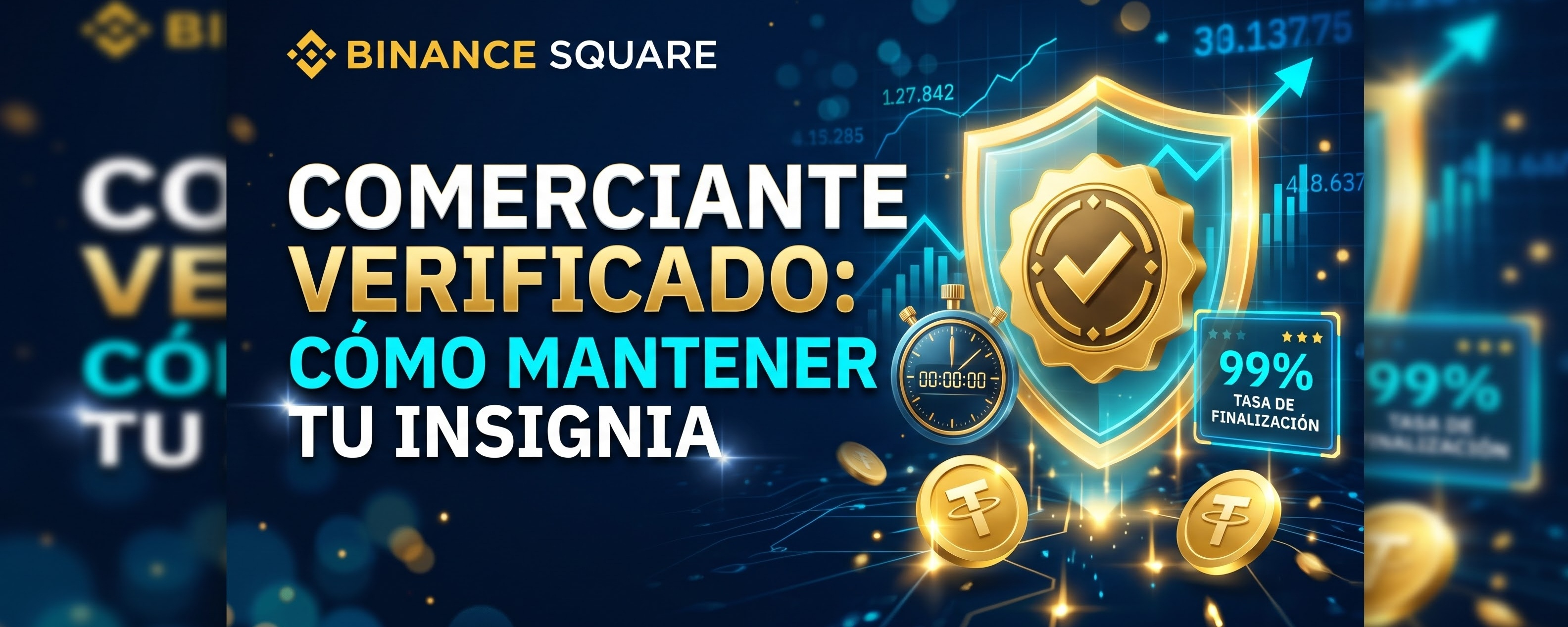
🛡️ Verified Merchant on Binance P2P: How to Keep Your Badge (and What to Do if You’re Rejected)Earning the yellow Verified Merchant badge is the ultimate goal of every P2P trader, but many discover an uncomfortable truth too late: getting it is difficult, but losing it due to operational oversights can take just days.
Binance constantly audits the performance of its verified merchants and applies strict criteria to those applying for the badge for the first time. If you neglect your metrics or commit avoidable violations, you may face a rejection that will force you to wait up to 3 months before applying again.
🛡️ Verified Merchant on Binance P2P: How to Keep Your Badge (and What to Do if You’re Rejected)
Earning the yellow Verified Merchant badge is the ultimate goal of every P2P trader, but many discover an uncomfortable truth too late: getting it is difficult, but losing it due to operational oversights can take just days.
Binance constantly audits the performance of its verified merchants and applies strict criteria to those applying for the badge for the first time. If you neglect your metrics or commit avoidable violations, you may face a rejection that will force you to wait up to 3 months before applying again.
Binance constantly audits the performance of its verified merchants and applies strict criteria to those applying for the badge for the first time. If you neglect your metrics or commit avoidable violations, you may face a rejection that will force you to wait up to 3 months before applying again.
244
·
--
Article
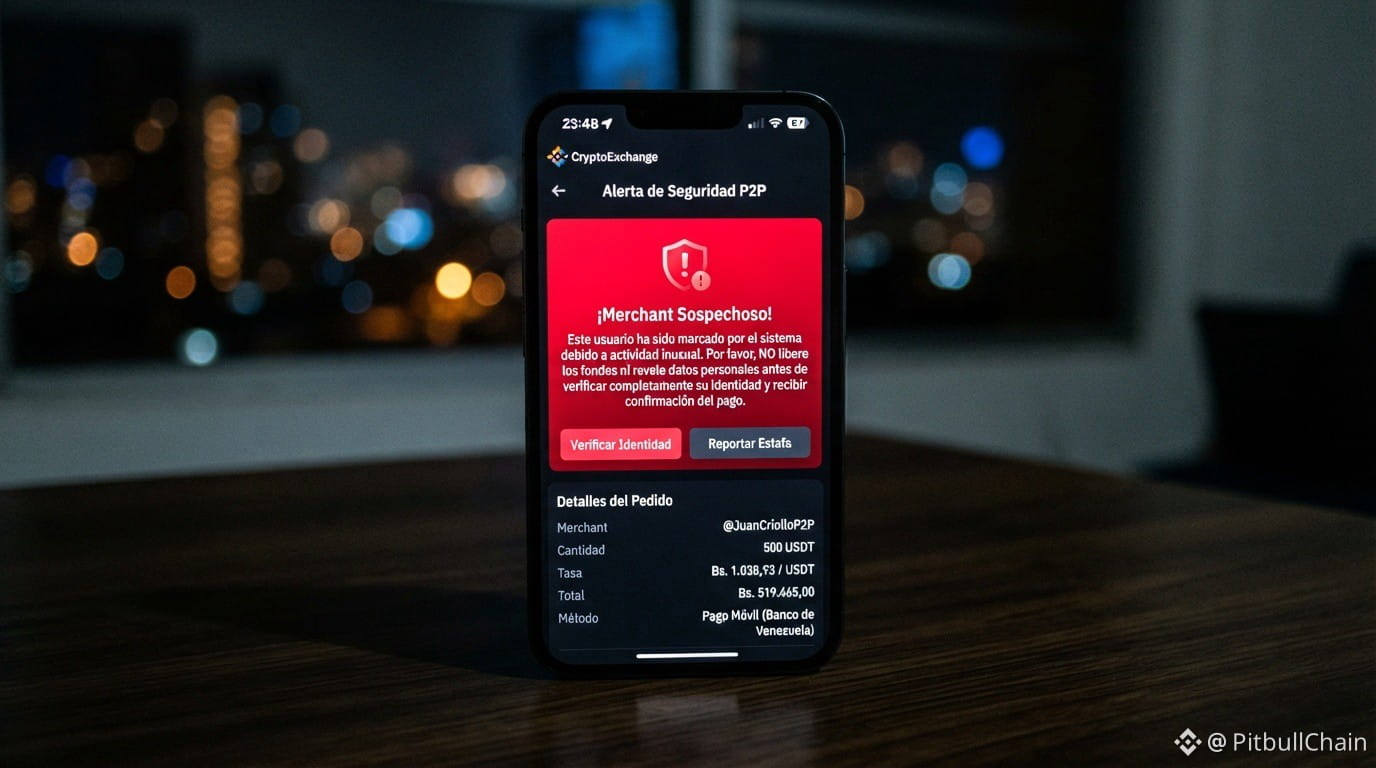
20.88% premium: the P2P safety rule that’s non-negotiableSunday, November 15, 2026. P2P opens with 272 active offers and a 20.88% premium over the BCV (Bs. 914.02). That figure isn’t an opportunity: it’s a red flag that calls for a careful approach. 🚩
📌 What the numbers say
Buying $USDT costs Bs. 1,104.85, while selling it gets you Bs. 1,038.93. The spread between the two is Bs. 65.92, or 6.34%. When the margin gets this wide, “bargain hunters” appear: new profiles offering suspiciously good prices and asking you to move the conversation to a private chat. That’s where you lose money—not on the spread.
20.88% premium: the P2P safety rule that’s non-negotiable
Sunday, November 15, 2026. P2P opens with 272 active offers and a 20.88% premium over the BCV (Bs. 914.02). That figure isn’t an opportunity: it’s a red flag that calls for a careful approach. 🚩
📌 What the numbers say
Buying $USDT costs Bs. 1,104.85, while selling it gets you Bs. 1,038.93. The spread between the two is Bs. 65.92, or 6.34%. When the margin gets this wide, “bargain hunters” appear: new profiles offering suspiciously good prices and asking you to move the conversation to a private chat. That’s where you lose money—not on the spread.
36
·
--
Article
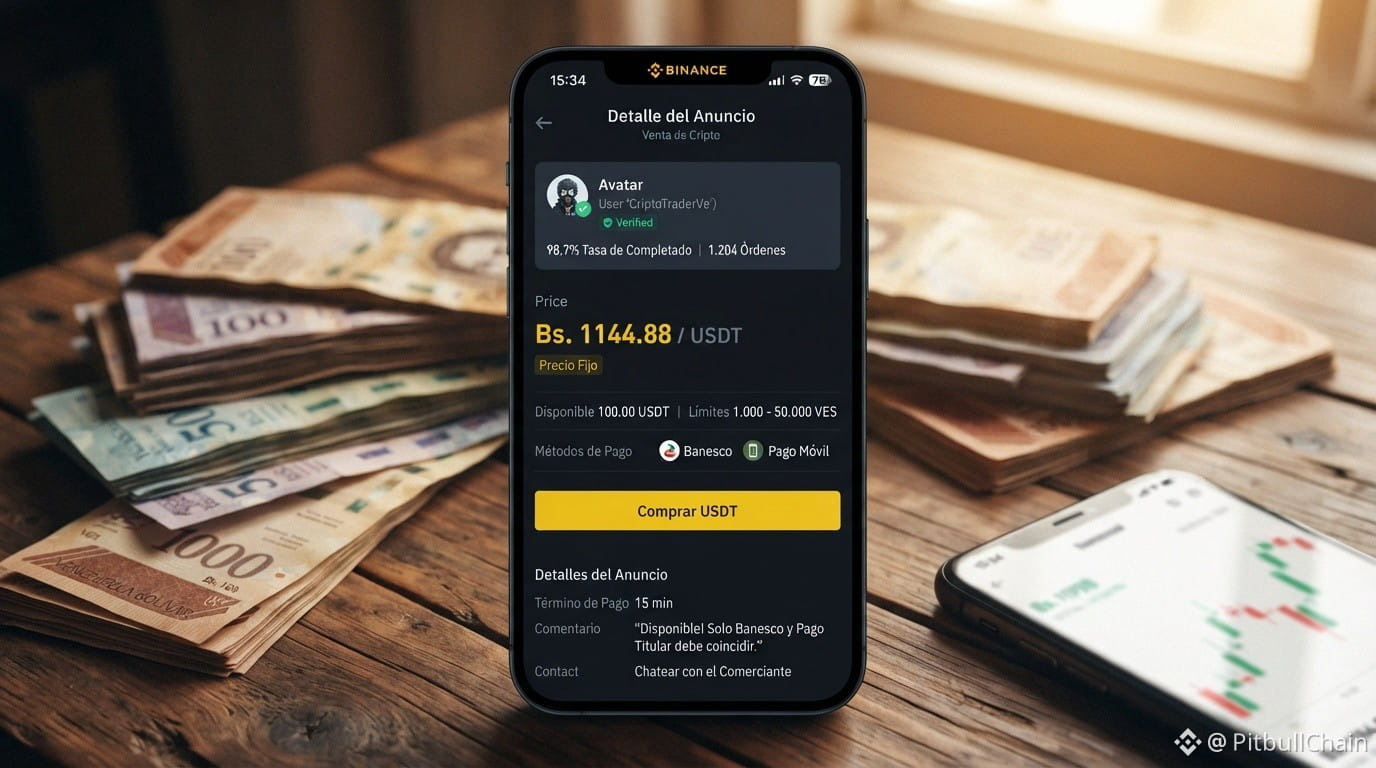
25.26% Premium: The Real Cost of Getting into USDT TodayThis Saturday, November 14, USDT P2P trading opened with two different prices: buy at Bs. 1,144.88, sell at Bs. 1,007.23. That’s a spread of Bs. 137.65 (13.67%), and against the BCV rate of Bs. 914.02, the premium climbs to 25.26%. 📊
That 25.26% isn’t just window dressing: it’s what it costs to get into digital dollars this way today. And keep in mind, the premium doesn’t tell you whether it’s a good or bad time; it tells you how much demand pressure there is on USDT in bolívares.
🔍 THE NUMBER THAT REALLY MATTERS
There are 183 active offers. That sounds like a lot, but liquidity isn’t the number of listings: it’s how much volume the market can handle without the price moving. With a 13.67% spread, the market is telling you that depth is thin and a large order could move the needle.
25.26% Premium: The Real Cost of Getting into USDT Today
This Saturday, November 14, USDT P2P trading opened with two different prices: buy at Bs. 1,144.88, sell at Bs. 1,007.23. That’s a spread of Bs. 137.65 (13.67%), and against the BCV rate of Bs. 914.02, the premium climbs to 25.26%. 📊
That 25.26% isn’t just window dressing: it’s what it costs to get into digital dollars this way today. And keep in mind, the premium doesn’t tell you whether it’s a good or bad time; it tells you how much demand pressure there is on USDT in bolívares.
🔍 THE NUMBER THAT REALLY MATTERS
There are 183 active offers. That sounds like a lot, but liquidity isn’t the number of listings: it’s how much volume the market can handle without the price moving. With a 13.67% spread, the market is telling you that depth is thin and a large order could move the needle.
31
·
--
Article
2.03% gap in USDT prices between P2P exchanges in VenezuelaLive P2P Radar Capture: 13/11/2026, 6:00:14 PM
USDT/VES reference Bs. 1079.70
USDT Buy Bs. 1079.70
USDT Sell Bs. 1041.48
BCV Bs. 914.02
Premium vs. BCV 18.13%
P2P Spread 3.67%
Observed offers 220
Check current data on Radar P2P
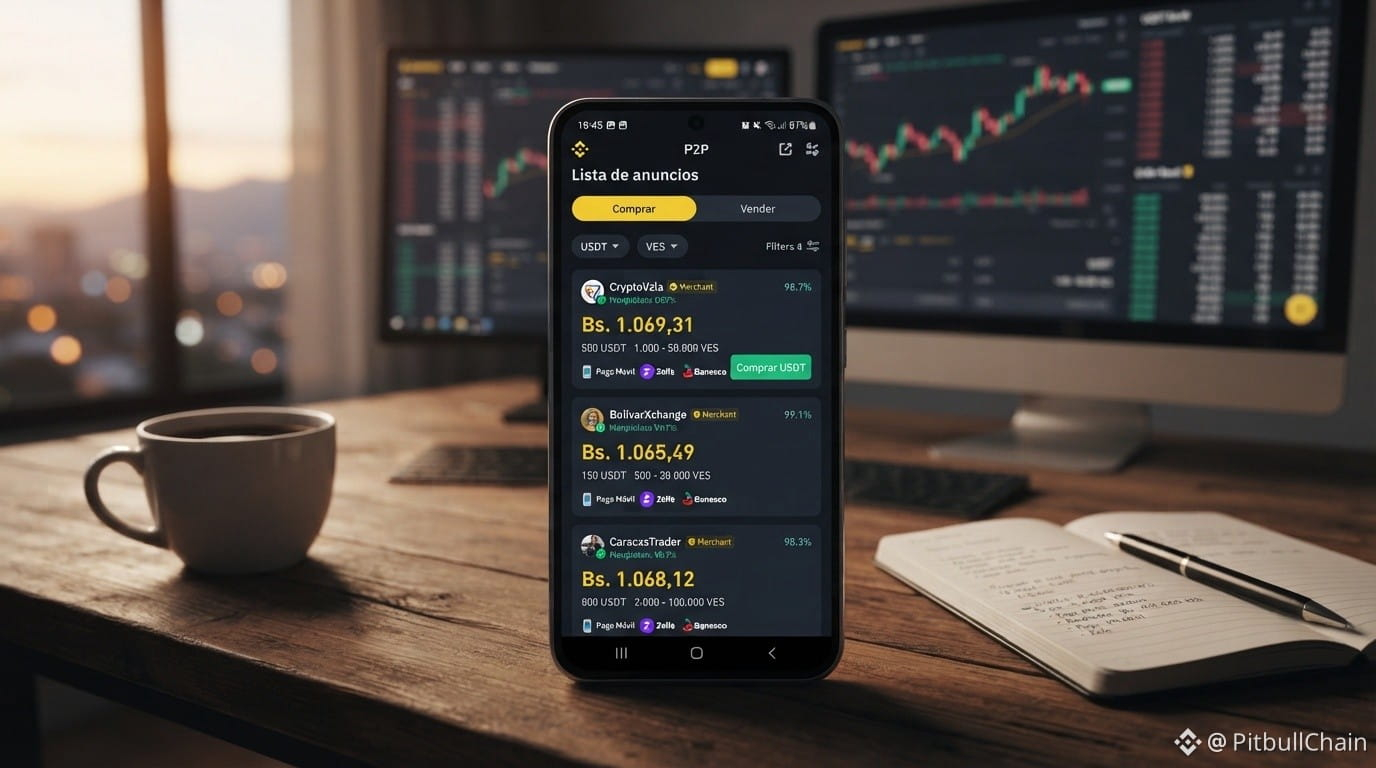
Monitoring of the Venezuelan crypto market shows a significant change in the price of Tether (USDT) against the bolívar (VES). According to data captured live on November 13, 2026, there is a 2.03% price difference between platforms: while Binance P2P lists rates of Bs. 1,069.38, other platforms quote as much as Bs. 1,091.12.
2.03% gap in USDT prices between P2P exchanges in Venezuela
Live P2P Radar Capture: 13/11/2026, 6:00:14 PM
USDT/VES reference Bs. 1079.70
USDT Buy Bs. 1079.70
USDT Sell Bs. 1041.48
BCV Bs. 914.02
Premium vs. BCV 18.13%
P2P Spread 3.67%
Observed offers 220
Check current data on Radar P2P
Monitoring of the Venezuelan crypto market shows a significant change in the price of Tether (USDT) against the bolívar (VES). According to data captured live on November 13, 2026, there is a 2.03% price difference between platforms: while Binance P2P lists rates of Bs. 1,069.38, other platforms quote as much as Bs. 1,091.12.
13
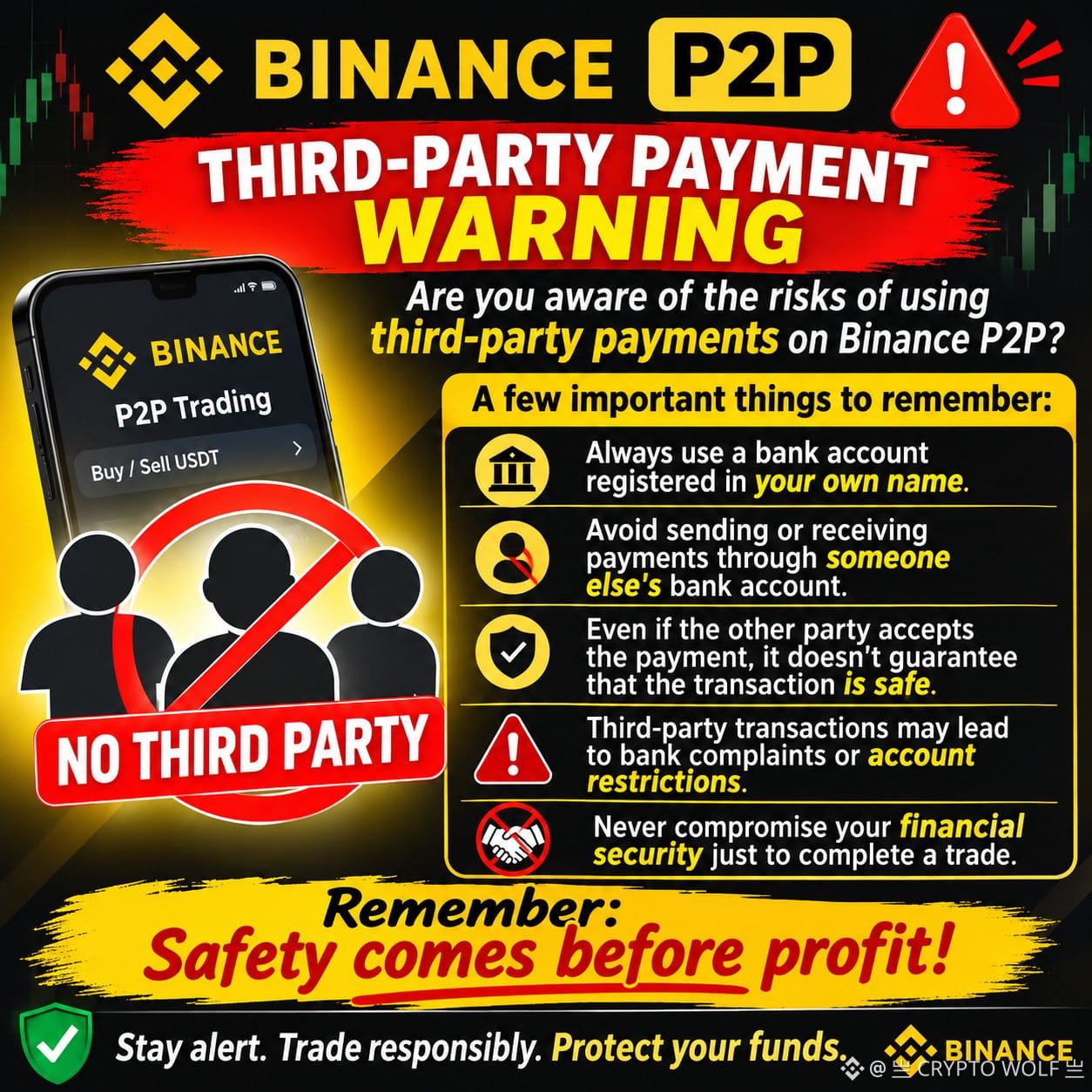
⚠️ BINANCE P2P – THIRD-PARTY PAYMENT WARNING ⚠️
Are you aware of the risks of using third-party payments on Binance P2P?
A few important things to remember:
$XAU $BTC
{spot}(BTCUSDT)
🔴 Always use a bank account registered in your own name.
🔴 Avoid sending or receiving payments through someone else's bank account.
🔴 Even if the other party accepts the payment, it doesn't guarantee that the transaction is safe.
🔴 Third-party transactions may lead to bank complaints or account restrictions.
🔴 Never compromise your financial security just to complete a trade.
Remember: Safety comes before profit!
Stay alert. Trade responsibly. Protect your funds.
#Binance #BinanceP2P #CryptoSafety #USDT #P2PTrading
⚠️ BINANCE P2P – THIRD-PARTY PAYMENT WARNING ⚠️
Are you aware of the risks of using third-party payments on Binance P2P?
A few important things to remember:
$XAU $BTC
🔴 Always use a bank account registered in your own name.
🔴 Avoid sending or receiving payments through someone else's bank account.
🔴 Even if the other party accepts the payment, it doesn't guarantee that the transaction is safe.
🔴 Third-party transactions may lead to bank complaints or account restrictions.
🔴 Never compromise your financial security just to complete a trade.
Remember: Safety comes before profit!
Stay alert. Trade responsibly. Protect your funds.
#Binance #BinanceP2P #CryptoSafety #USDT #P2PTrading
170
·
--
Article
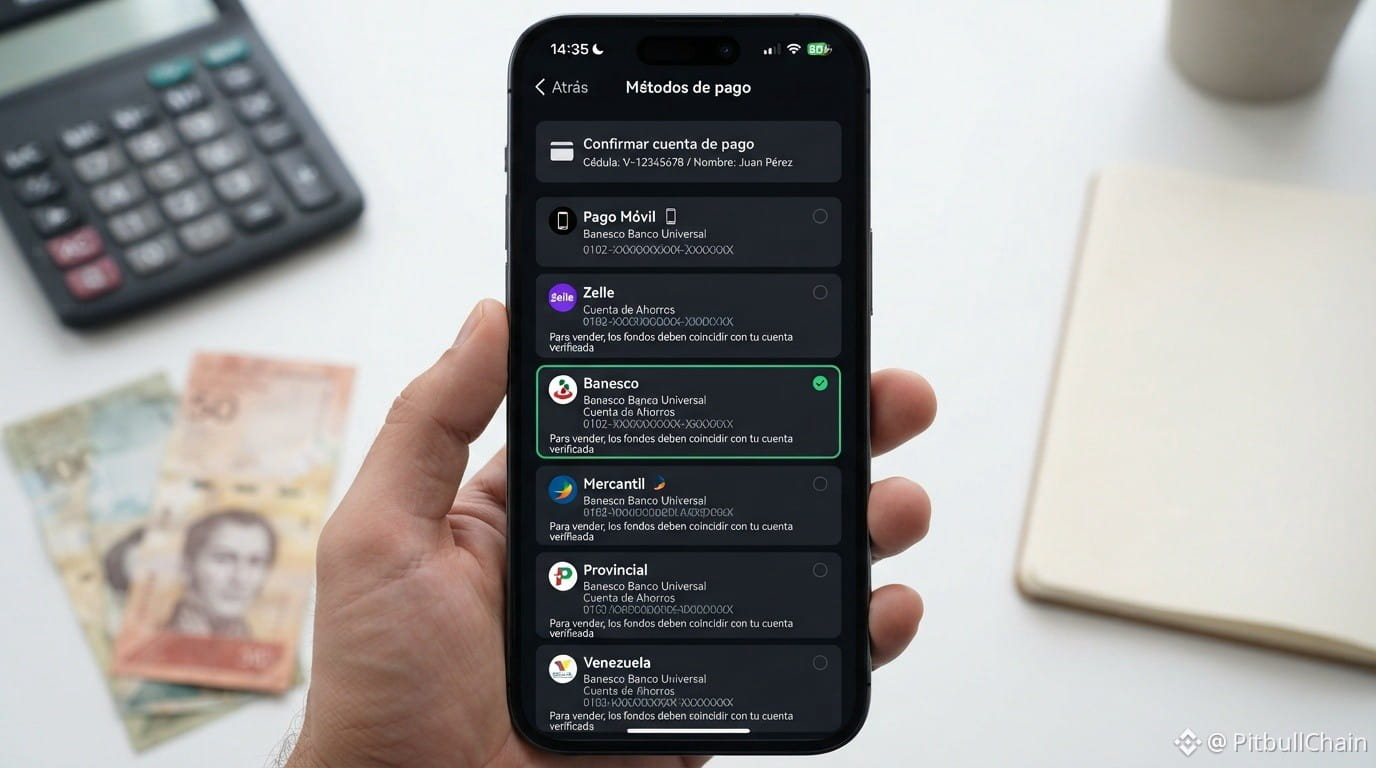
A Bs. 63.21 spread: the invisible cost of P2PToday, Wednesday, November 11, 2026, Binance P2P opens with a striking figure: buying $USDT costs Bs. 1093.49, while selling it pays Bs. 1030.28. The gap between those two prices is a spread of Bs. 63.21, or 6.14%. The premium over the BCV rate (901.62) stands at 21.28%. The takeaway? The headline rate is impressive, but the real cost is in the spread.
Don’t confuse the premium with profit. The premium measures the gap between the P2P and official rates; the spread measures what you lose when entering and exiting the market. If you trade in a hurry, that 6.14% can wipe out any estimated return before you even factor in fees. And keep in mind: the outcome depends on the spread, fees, and exchange rate at the time. Profit isn’t guaranteed.
A Bs. 63.21 spread: the invisible cost of P2P
Today, Wednesday, November 11, 2026, Binance P2P opens with a striking figure: buying $USDT costs Bs. 1093.49, while selling it pays Bs. 1030.28. The gap between those two prices is a spread of Bs. 63.21, or 6.14%. The premium over the BCV rate (901.62) stands at 21.28%. The takeaway? The headline rate is impressive, but the real cost is in the spread.
Don’t confuse the premium with profit. The premium measures the gap between the P2P and official rates; the spread measures what you lose when entering and exiting the market. If you trade in a hurry, that 6.14% can wipe out any estimated return before you even factor in fees. And keep in mind: the outcome depends on the spread, fees, and exchange rate at the time. Profit isn’t guaranteed.
Don’t confuse the premium with profit. The premium measures the gap between the P2P and official rates; the spread measures what you lose when entering and exiting the market. If you trade in a hurry, that 6.14% can wipe out any estimated return before you even factor in fees. And keep in mind: the outcome depends on the spread, fees, and exchange rate at the time. Profit isn’t guaranteed.
19

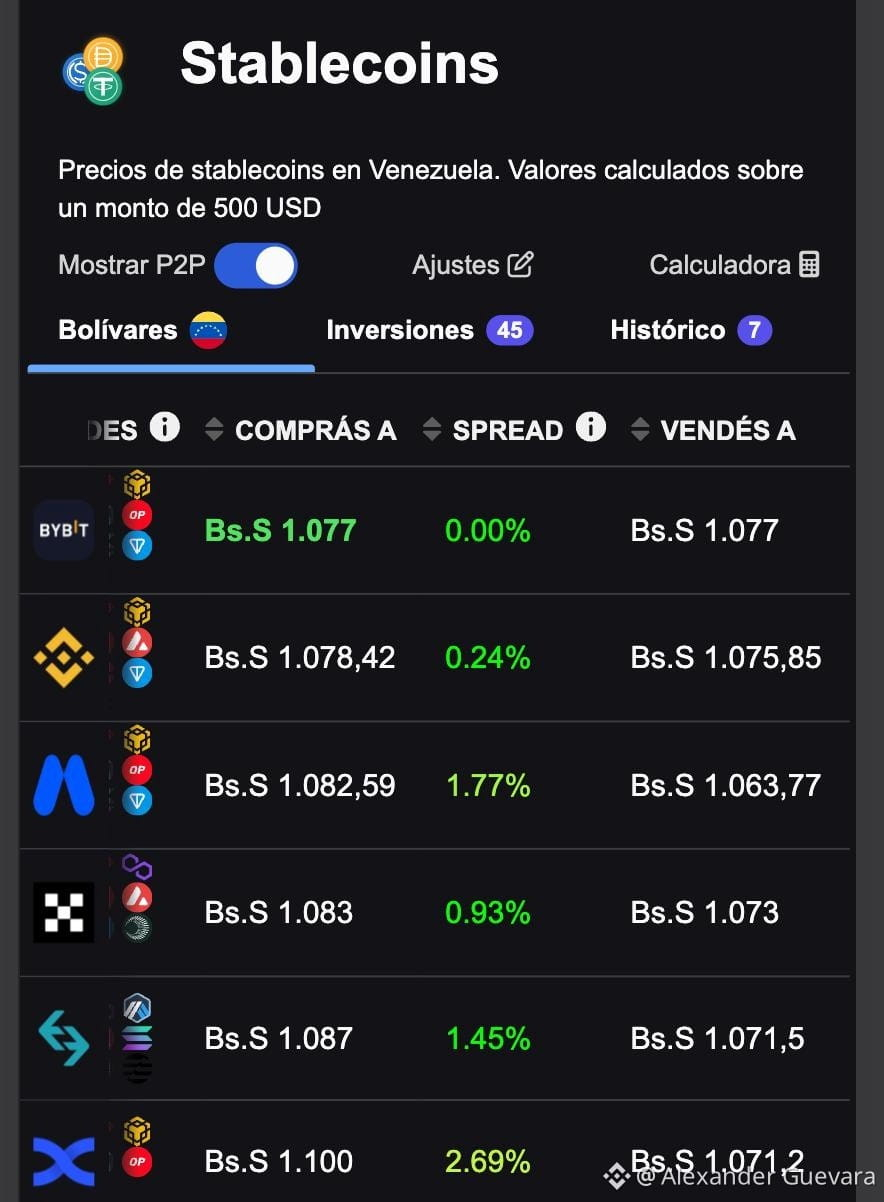
🔼🪙USDT price on different exchanges right now.
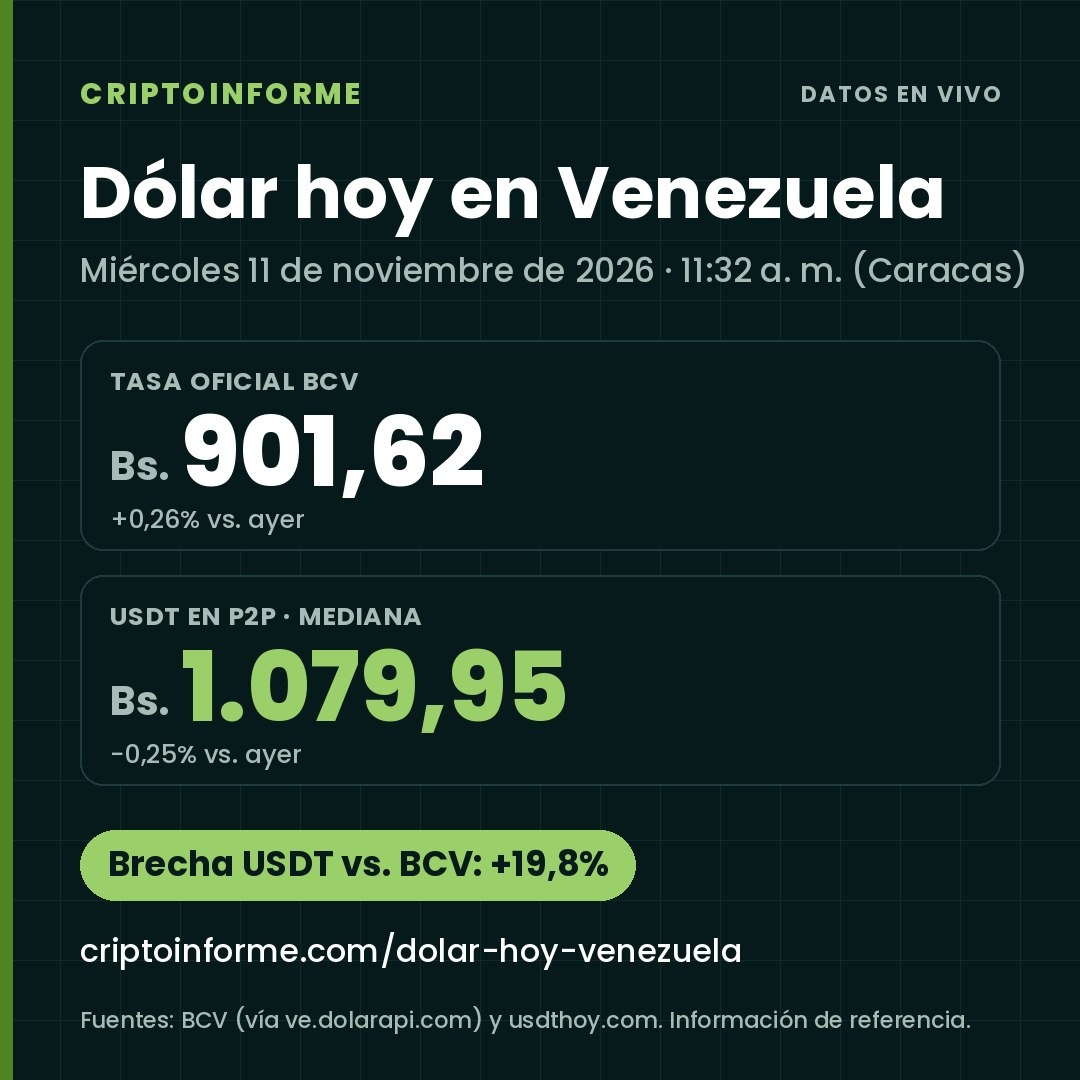
Dollar today in Venezuela · Nov 11
🏦 BCV official rate: Bs. 901,62
💵 USDT on P2P (median): Bs. 1.079,95
📊 Gap: +19,8% (yesterday: 20,4%)
Updates automatically when the rate changes.
#BinanceP2P #P2P #USDT #P2PTrading #exchange $BTC $ETH
🔼🪙USDT price on different exchanges right now.
Dollar today in Venezuela · Nov 11
🏦 BCV official rate: Bs. 901,62
💵 USDT on P2P (median): Bs. 1.079,95
📊 Gap: +19,8% (yesterday: 20,4%)
Updates automatically when the rate changes.
#BinanceP2P #P2P #USDT #P2PTrading #exchange $BTC $ETH
Dollar today in Venezuela · Nov 11
🏦 BCV official rate: Bs. 901,62
💵 USDT on P2P (median): Bs. 1.079,95
📊 Gap: +19,8% (yesterday: 20,4%)
Updates automatically when the rate changes.
#BinanceP2P #P2P #USDT #P2PTrading #exchange $BTC $ETH
Alexander Guevara
·
--
😘AIRTM has a buy rate of 1.105,71 Bs 💲
🥥Coco Wallet/P2P.me at 1.109,23 Bs 💲
🏷️🔼BINANCE RATE RISING AGAIN
Markets and Stocks in 😁
🔺ATTENTION .. Summa Consulting ..->
The Venezuelan economy could experience a growth rate of 12,8% in 2027, according to macroeconomic projections by the firm Summa Consulting (@Summa_Biz), exceeding the 6,8% projected for the end of 2026..
#USDT #BrechaAlta #venezuela #macroeconomy #P2P $BTC
1
32
·
--
10% Daily on Binance P2P: What the Video Doesn’t Tell You📊 10% Daily on Binance P2P: What the Video Doesn’t Tell You
A recent video promises to reveal a strategy for earning a 10% daily return by trading P2P on Binance. As always at PitbullChain, we separate the noise from the facts: we review what the content proposes and compare it with the reality of the USDT/VES market in Venezuela. The goal isn’t to sell you a formula, but to give you the judgment to evaluate the spread, fees, and current exchange rate.
📈 Video summary
The video presents itself as revealing a personal strategy for achieving a 10% daily return on Binance P2P. Based on the title and the usual format of this type of content, the author is expected to show how they buy and sell USDT for bolívares, with examples of orders, timings, and margins. It also often includes a capital management component and recommendations on how to navigate listings. The focus is on the percentage return, which is precisely what should be examined closely: a sustained 10% daily return is not realistic; it is a projection based on a favorable scenario. The video works better as a showcase of a trading operation than as a benchmark for performance.
10% Daily on Binance P2P: What the Video Doesn’t Tell You
📊 10% Daily on Binance P2P: What the Video Doesn’t Tell You
A recent video promises to reveal a strategy for earning a 10% daily return by trading P2P on Binance. As always at PitbullChain, we separate the noise from the facts: we review what the content proposes and compare it with the reality of the USDT/VES market in Venezuela. The goal isn’t to sell you a formula, but to give you the judgment to evaluate the spread, fees, and current exchange rate.
📈 Video summary
The video presents itself as revealing a personal strategy for achieving a 10% daily return on Binance P2P. Based on the title and the usual format of this type of content, the author is expected to show how they buy and sell USDT for bolívares, with examples of orders, timings, and margins. It also often includes a capital management component and recommendations on how to navigate listings. The focus is on the percentage return, which is precisely what should be examined closely: a sustained 10% daily return is not realistic; it is a projection based on a favorable scenario. The video works better as a showcase of a trading operation than as a benchmark for performance.
41

·
--
P2P continues to be key in LATAM. As crypto adoption grows, millions of users rely on Binance P2P to access USDT quickly and securely, with multiple payment methods.
💡 More than just trading, P2P is becoming an everyday financial tool for the region.
Do you think LATAM will continue leading cryptocurrency adoption through P2P? 🌎👇
#BinanceP2P #LATAM #USDT #Crypto #BinanceSquare #Bitcoin #Blockchain
💡 More than just trading, P2P is becoming an everyday financial tool for the region.
Do you think LATAM will continue leading cryptocurrency adoption through P2P? 🌎👇
#BinanceP2P #LATAM #USDT #Crypto #BinanceSquare #Bitcoin #Blockchain
76

·
--
Article
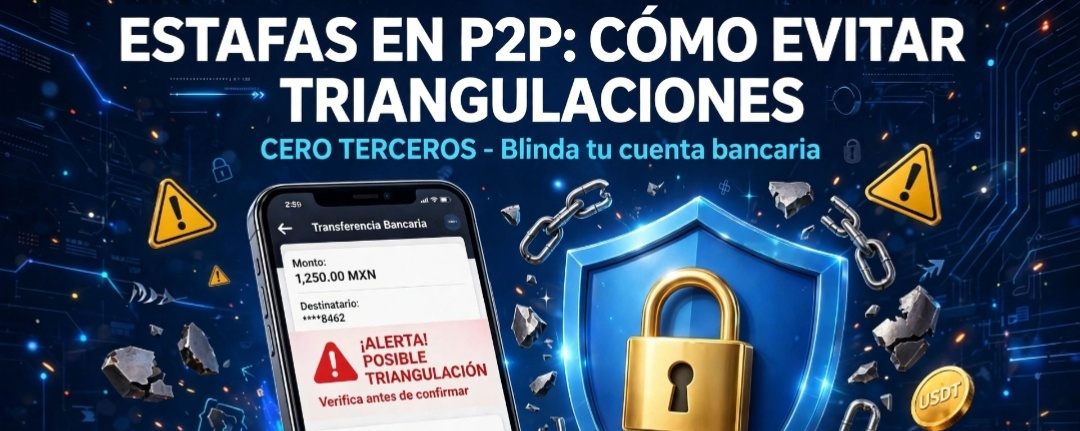
NO THIRD PARTIES ON BINANCE P2P🚨 The triangulation trap and how to protect your bank account
In P2P trading, there’s one phrase seasoned traders repeat until they’re blue in the face: “I never accept third-party payments, no exceptions.”
Beginners think it’s a hassle that costs them quick customers. But behind that rule lies the only barrier between a profitable business and a police summons or having your bank accounts permanently blocked.
1. How does the triangulation scam work?
NO THIRD PARTIES ON BINANCE P2P
🚨 The triangulation trap and how to protect your bank account
In P2P trading, there’s one phrase seasoned traders repeat until they’re blue in the face: “I never accept third-party payments, no exceptions.”
Beginners think it’s a hassle that costs them quick customers. But behind that rule lies the only barrier between a profitable business and a police summons or having your bank accounts permanently blocked.
1. How does the triangulation scam work?
5
2
13
12.8k
·
--
Binance P2P Spread: Why the Traffic Light Shows 4.48% and the Order Book 0.21%Live P2P Radar Snapshot: 9/11/2026, 2:00:15 a.m.
USDT/VES reference Bs. 1058.25
Buy USDT Bs. 1058.25
Sell USDT Bs. 1012.92
BCV Bs. 897.54
Premium over BCV 17.91%
P2P spread 4.48%
Offers observed 171
Check current data on P2P Radar
On November 9, 2026, at 06:00 UTC (02:00 in the morning in Venezuela), PitbullChain’s P2P radar captured a snapshot of the USDT/VES market that confuses more than a few users: the traffic light reports a spread of 4.48%, while two seconds earlier, the order book had shown 0.21% for the same pair. There is no calculation error or corrupted data. These are two different measurements, based on different figures, and knowing how to read them helps avoid rushed decisions.
Binance P2P Spread: Why the Traffic Light Shows 4.48% and the Order Book 0.21%
Live P2P Radar Snapshot: 9/11/2026, 2:00:15 a.m.
USDT/VES reference Bs. 1058.25
Buy USDT Bs. 1058.25
Sell USDT Bs. 1012.92
BCV Bs. 897.54
Premium over BCV 17.91%
P2P spread 4.48%
Offers observed 171
Check current data on P2P Radar
On November 9, 2026, at 06:00 UTC (02:00 in the morning in Venezuela), PitbullChain’s P2P radar captured a snapshot of the USDT/VES market that confuses more than a few users: the traffic light reports a spread of 4.48%, while two seconds earlier, the order book had shown 0.21% for the same pair. There is no calculation error or corrupted data. These are two different measurements, based on different figures, and knowing how to read them helps avoid rushed decisions.
57
·
--
Binance and Other P2P Platforms: Two Different Spreads at the Same MomentLive P2P Radar Capture: 8/11/2026, 4:00:13 PM
USDT/VES reference Bs. 1044.57
Buy USDT Bs. 1044.57
Sell USDT Bs. 1022.20
BCV Bs. 897.54
Premium vs. BCV 16.38%
P2P spread 2.19%
Offers observed 224
Check current data on Radar P2P
PitbullChain — The USDT/VES order book captured on November 8, 2026, at 20:00 UTC (16:00 in Venezuela) allows for a rare comparison in Venezuelan P2P: the same data, at the same time, across two platforms. At the top of the book, the cheapest USDT sell offer is listed on Binance at Bs. 1,035.73, while the first price exclusive to other platforms is Bs. 1,038. On the buy side, the best bid on other platforms (Bs. 1,034.50) is exactly one bolívar below Binance’s (Bs. 1,035.50).
Binance and Other P2P Platforms: Two Different Spreads at the Same Moment
Live P2P Radar Capture: 8/11/2026, 4:00:13 PM
USDT/VES reference Bs. 1044.57
Buy USDT Bs. 1044.57
Sell USDT Bs. 1022.20
BCV Bs. 897.54
Premium vs. BCV 16.38%
P2P spread 2.19%
Offers observed 224
Check current data on Radar P2P
PitbullChain — The USDT/VES order book captured on November 8, 2026, at 20:00 UTC (16:00 in Venezuela) allows for a rare comparison in Venezuelan P2P: the same data, at the same time, across two platforms. At the top of the book, the cheapest USDT sell offer is listed on Binance at Bs. 1,035.73, while the first price exclusive to other platforms is Bs. 1,038. On the buy side, the best bid on other platforms (Bs. 1,034.50) is exactly one bolívar below Binance’s (Bs. 1,035.50).
15
Log in to explore more content
Join global crypto users on Binance Square
⚡️ Get latest and useful information about crypto.
💬 Trusted by the world’s largest crypto exchange.
👍 Discover real insights from verified creators.
Email / Phone number
Trending Topics
1
#CanBTCReboundAfterFallingBelow60K?
176,142 views
851 Discussing
2
#GlobalStocksFaceLongestLosingStreakSince2023
69,948 views
708 Discussing
3
#AnthropicPlungesTowardIPOPriceonDay2
29,862 views
341 Discussing
4
#CFTCStaffInvestigatedTrumpMemeCoinThenBackedOff
0 views
17 Discussing
5
#BNBDropsBelow540USDTWith8.46%DailyDecline
4,707 views
96 Discussing
6
#HKBillProposesHK$100KFineForUnauthorizedCryptoTitles
32 views
7 Discussing
7
#BitMineFaces$10.1BUnrealizedETHLoss
165 views
11 Discussing
8
#StrategyReports$35BNetReserves
95 views
9 Discussing
9
#MorganStanleyEndsAnthropicStockSupportAfterOneDay
2,569 views
64 Discussing
10
#CryptoBilisAttackerMoves25000ETHToTornadoCash
4,021 views
60 Discussing